ACS Dashboard
Overview
The ACS (TR-069) Dashboard is the landing screen for remote device management. It summarises your whole fleet of customer devices — how many there are, how many are online, which vendors they come from, and how many registered recently.
Navigation
ACS (TR-069) → Dashboard
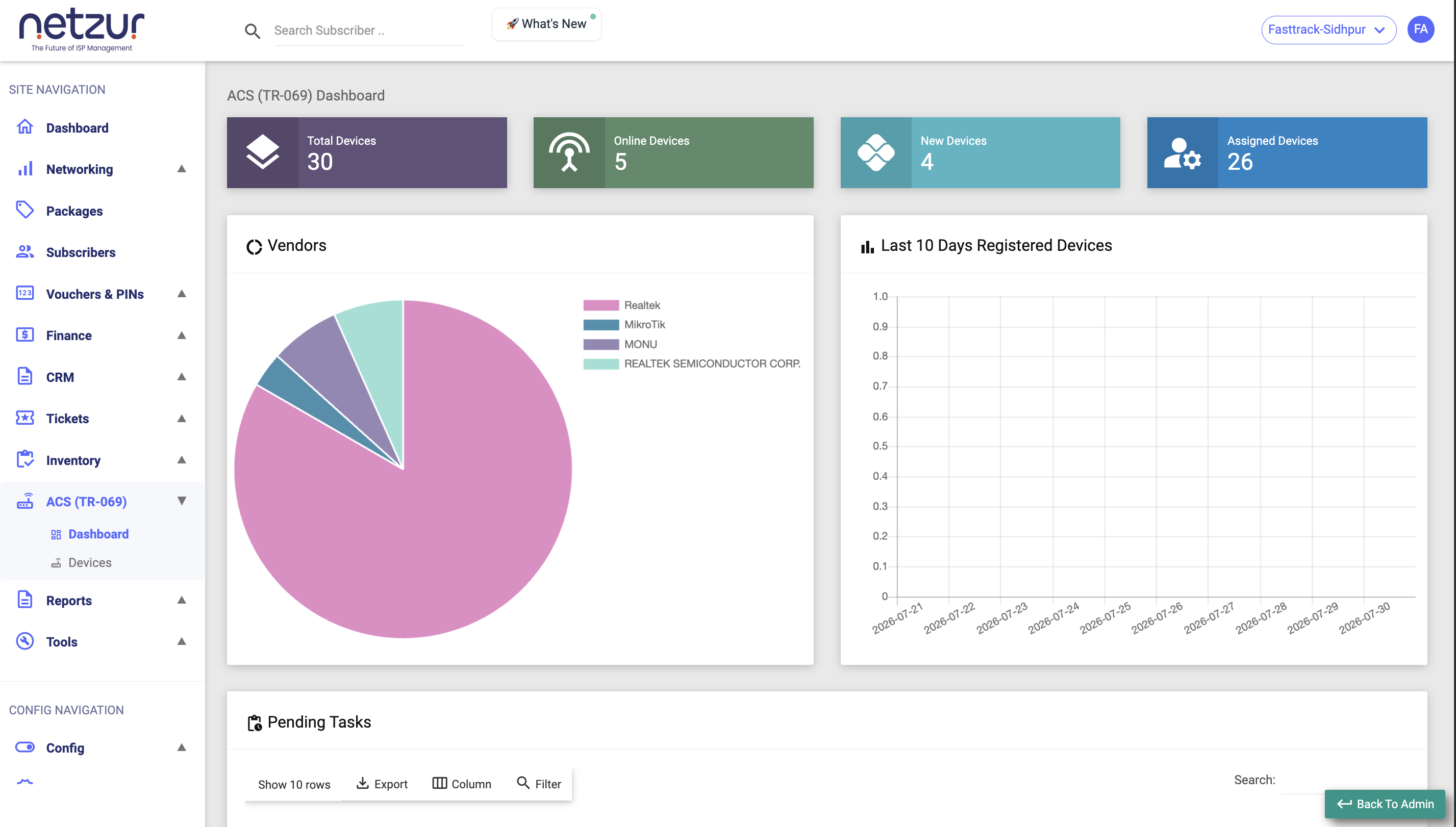
The stat tiles
Four tiles across the top — each is clickable and opens the Devices list.
| Tile | Shows |
|---|---|
| Total Devices | Every device that has checked in to your ACS. |
| Online Devices | Devices that have reported in recently enough to count as reachable (based on their last check-in, not a live ping). |
| New Devices | Devices that have checked in but are not yet assigned to a subscriber. |
| Assigned Devices | Devices linked to a subscriber account. |
The relationship is simple: Total = Assigned + New. "New" is just the count of unclaimed units waiting to be assigned.
The Vendors chart
A pie/donut labelled Vendors that groups your devices by manufacturer — so you can see the mix of your fleet at a glance (for example how many Realtek vs. MikroTik units). It shows "No data available" when there are none.
Last 10 Days Registered Devices
A bar chart with one bar per day for the last ten days, each showing how many devices first registered on your ACS that day — a quick view of how fast new equipment is coming online.
Pending Tasks
A table meant to list queued commands waiting to be delivered to devices.
In the current release this dashboard-level list stays empty — the working, per-device view of queued commands lives on each device's Tasks tab. Use that to see and cancel outstanding commands for a specific device.
Important Notes
- All figures are for your site (head-office logins get an All / per-site selector).
- "Online" reflects the device's last check-in; a device that lost power will keep showing online until its expected check-in window passes.