Devices Overview
Overview
The Devices List shows every TR-069 device that has checked in to your ACS — routers, ONUs and ONTs — with its identity, who it's assigned to, and whether it's online. Click any device to open its detail page, where you configure and troubleshoot it.
Required Permissions
- ACS Devices → List to view the list; ACS Devices → Delete Device for the bulk delete.
Navigation
ACS (TR-069) → Devices
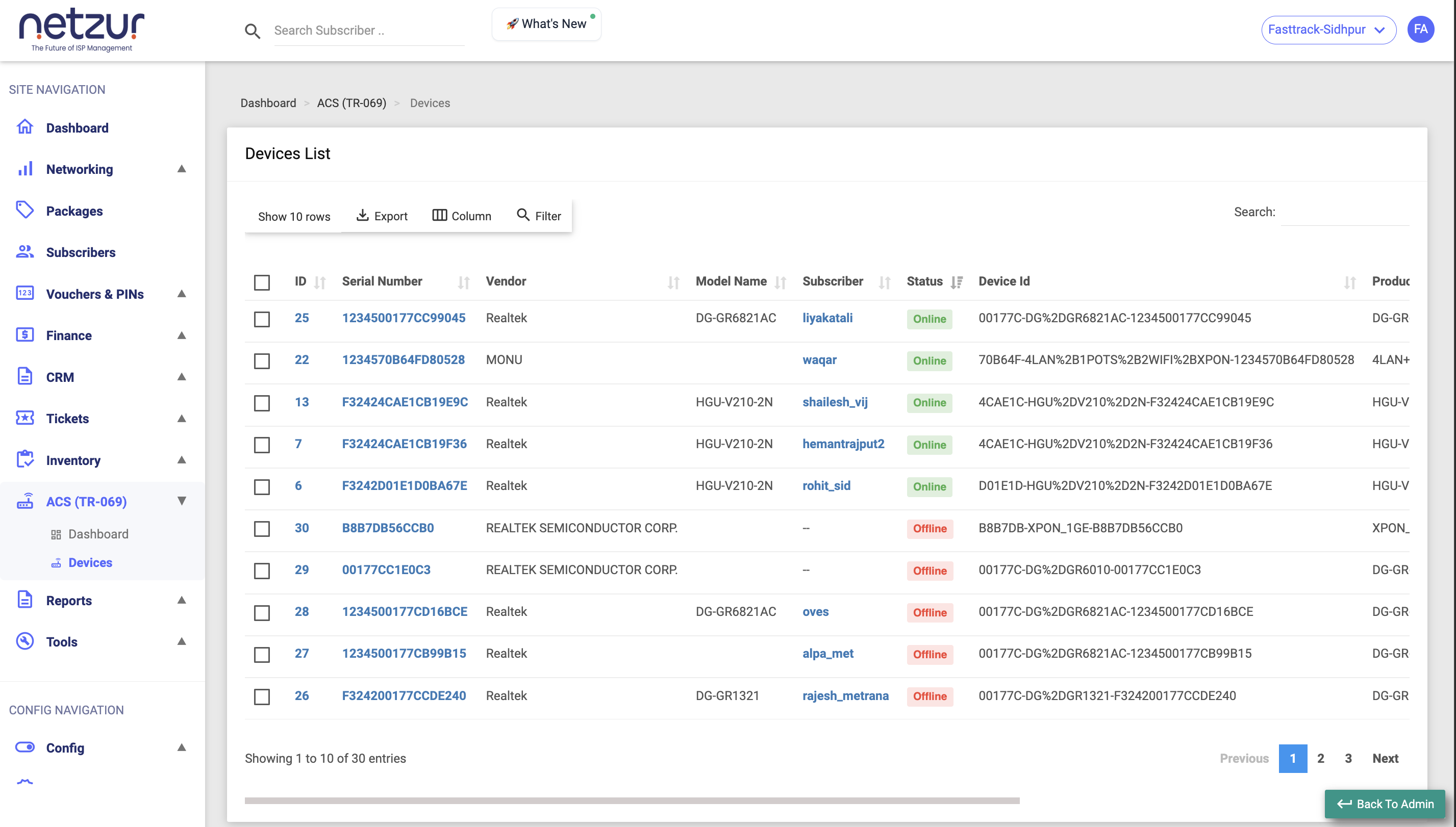
The columns
| Column | Meaning |
|---|---|
| (checkbox) | Select devices for the bulk Delete action. |
| ID | The device's ID — click to open its detail page. |
| Serial Number | The unit's hardware serial (also links to the detail page). |
| Vendor | The manufacturer. |
| Model Name | The device model. |
| Subscriber | The customer it's assigned to (links to their profile). Shows -- if unassigned. |
| Full Name | The assigned subscriber's full name. |
| Status | Online (green) or Offline (red) — based on the last check-in. |
| Device Id | The ACS's internal device identifier (hidden by default — enable via Column). |
| Product Class | The device's TR-069 product class. |
| OUI | The manufacturer's identity prefix. |
| Software Version | The firmware version the device reports. |
| Last Inform | When the device last checked in. |
| Registered | When the device first appeared on your ACS. |
Finding devices
- Filter — a per-column search row under the headers.
- Search — the global search box.
- Export — Copy, Excel or Print.
- Column — show or hide columns (Device Id is hidden by default).
- Show N rows — page length (5–500).
Online vs Offline
A device shows Online when it has checked in within its expected inform interval (plus a short grace period). This is not a live ping — a device that just lost power will keep reading Online until its next check-in is missed. Use the Basic Info tab to see the exact Last Inform time.
Deleting devices
Tick one or more devices and choose Action → Delete, then confirm.
- You can delete up to 5 devices at once.
- Deleting removes the device from the ACS and unlinks it from its subscriber. It does not factory-reset the physical unit — the device will simply reappear if it checks in again.
Assigning a device to a subscriber
Assignment is done from the device's own page, not this list — see Working with a device → Assign. Once assigned, the subscriber's username and name appear in the columns above.