Tasks & Faults
Overview
The Task tab on the device page is the device's command queue. Because a device only acts when it next checks in, every command you send — reboot, factory reset, a WAN/Wi-Fi change, a refresh, a ping — becomes a task that waits here until the device picks it up. Alongside it, the Fault List shows commands that failed.
Required Permissions
- The Task tab is operator-only (not shown to customers). Removing a queued task needs the ACS Devices → Delete Task permission.
Navigation
ACS (TR-069) → Devices → (open a device) → Task
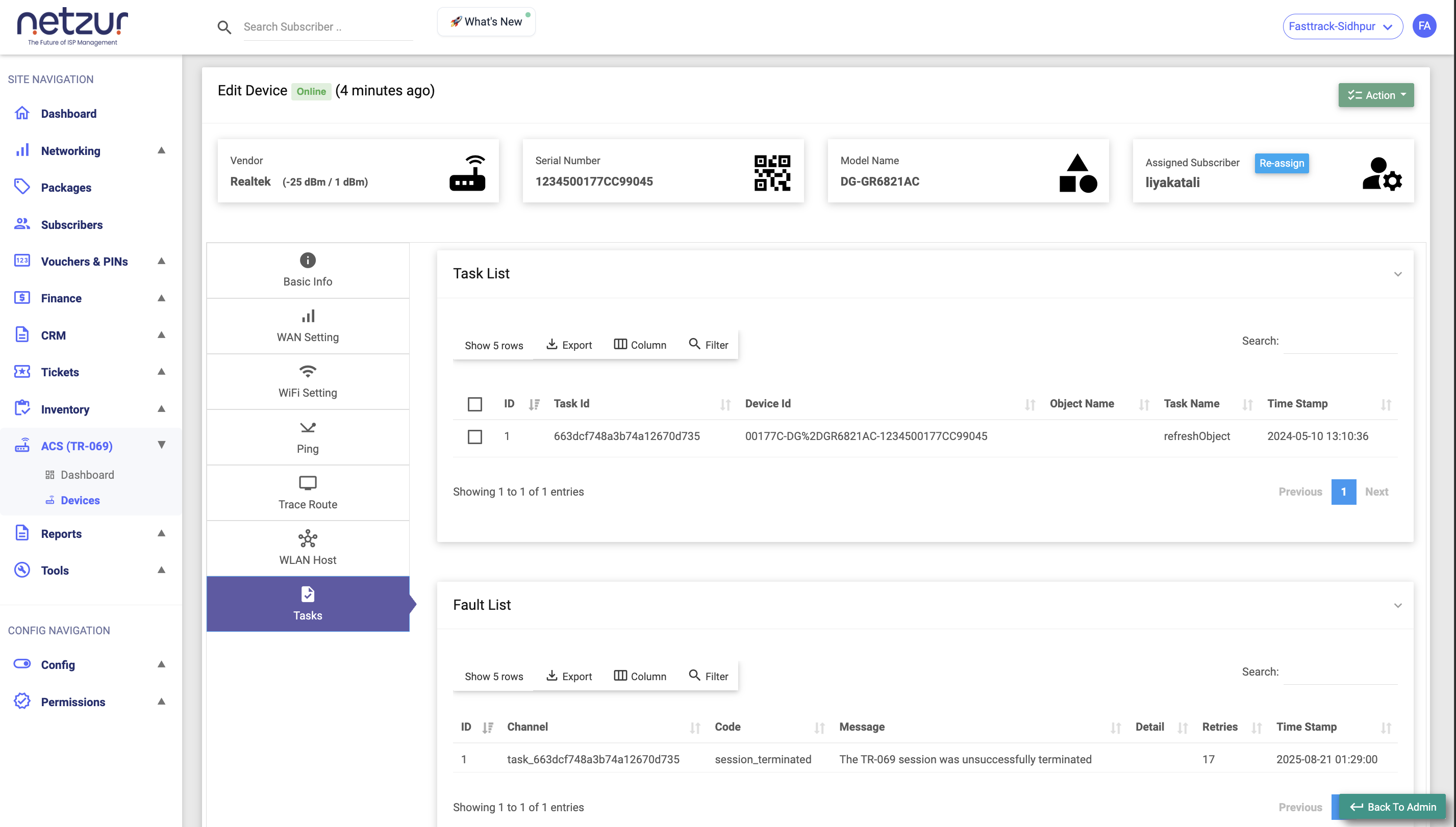
Task List
The commands currently queued and waiting for this device.
| Column | Meaning |
|---|---|
| Id | Row number. |
| Task Id | The task's unique identifier. |
| Device Id | The device the task is for. |
| Object Name | Which part of the device the command targets. |
| Task Name | The kind of command (e.g. reboot, a settings change, a refresh). |
| Timestamp | When the command was queued. |
A task sits here while it's pending. There's no status column — being in the list means "still waiting for the device." Once the device connects and runs it, the task drops off the list. If it fails, it appears in the Fault List below.
Cancelling a queued task
Select one or more tasks and choose Action → Delete, then confirm. This removes them from the queue — effectively cancelling a command before the device runs it (up to 5 at a time).
Useful when you queued something by mistake, or a device has been offline so long that a stale command shouldn't run when it finally reconnects.
Fault List
Commands that the device rejected or that errored.
| Column | Meaning |
|---|---|
| Id | Row number. |
| Channel | Which operation the fault came from. |
| Code | The TR-069 error code. |
| Message | The error text. |
| Retries | How many times it was retried. |
| Timestamp | When the fault was recorded. |
This is where you look when a change "didn't take" — the fault message and code explain why the device didn't accept the command.
Important Notes
- A growing task list that never clears usually means the device is offline and not picking up commands — check its Status and Last Inform on Basic Info.
- Deleting a task only cancels the queued command; it doesn't undo anything the device already applied.