Payment Gateways
Overview
The Payment Gateways page is where you enable and configure the online payment gateways your customers use to pay invoices and recharge. Each gateway you turn on becomes a payment option at checkout in the customer portal.
Navigation: Config → Payment Gateways
How it works
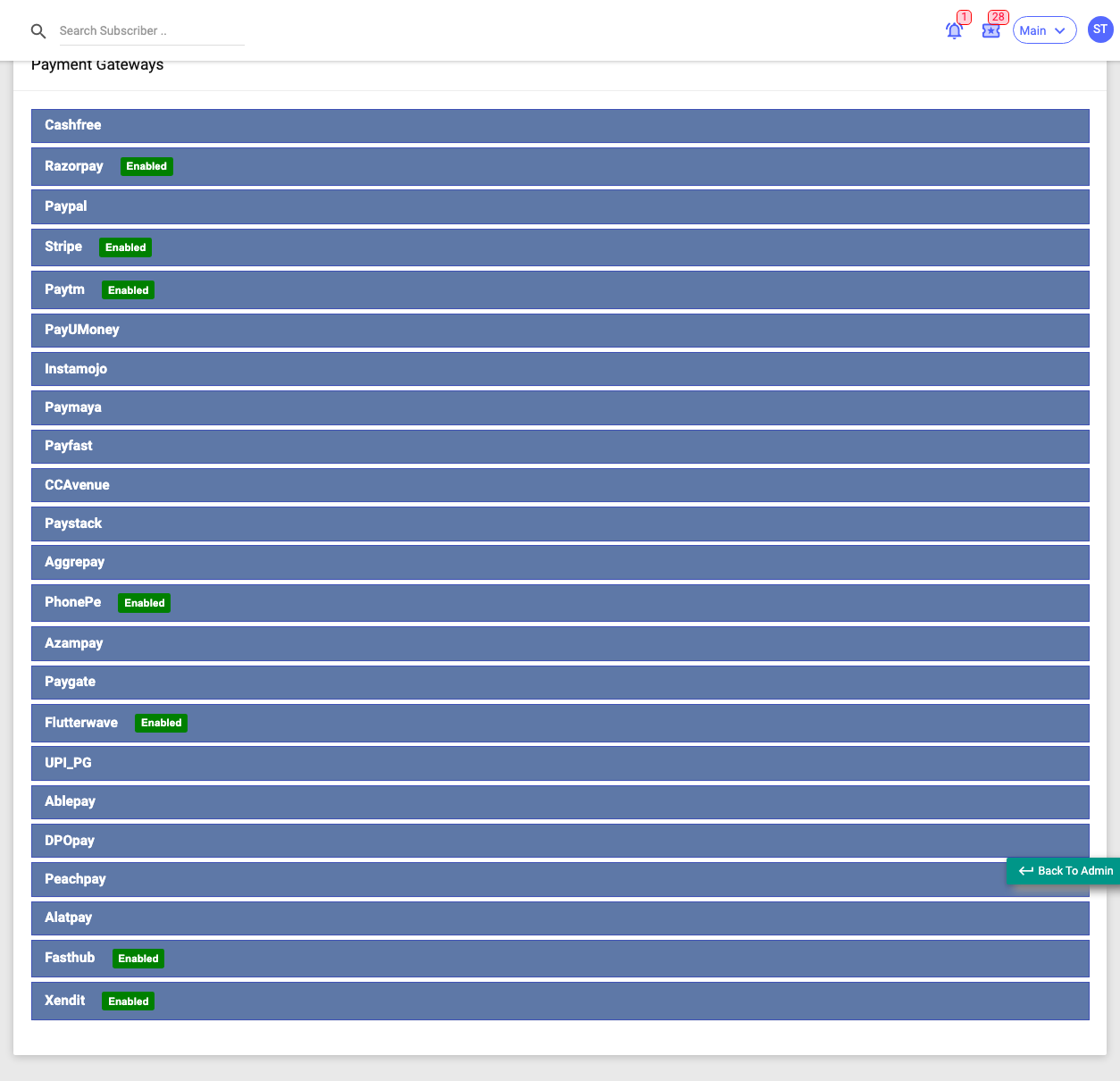
The page is an accordion with one collapsible panel per gateway. A green Enabled badge shows which gateways are currently active. Click a gateway to expand its form.
Supported gateways include: Cashfree, Razorpay, PayPal, Stripe, PayUMoney, Instamojo, CCAvenue, Paytm, BillDesk, PhonePe, AblePay, AggrePay, AlatPay, AzamPay, DPO Pay, FastHub, Flutterwave, PayFast, PayGate, PayMaya, PayStack, PeachPay, Swipez, UPI PG, Wait-n-Pay and Xendit.
Each gateway panel has:
- an Enabled toggle — turning it on reveals that gateway's fields and makes it available at checkout;
- a Description shown to subscribers on that payment option;
- the gateway's credential and configuration fields — the exact set depends on the provider (typically things like a Key/App ID, a Secret Key, a currency, and sometimes a mode/environment). These are credentials from your payment-gateway account — keep them private.
- most gateways also show a Webhook URL (with Generate/Regenerate and Copy) that you paste into the provider's own dashboard so it can notify the platform of payments.
Each panel has its own Update button — you save one gateway at a time, and enabling one doesn't affect the others.
:::caution Handle gateway keys carefully The keys and secrets here let money move through your account. Enter them from your gateway provider's dashboard, keep them private, and only regenerate a webhook when you're ready to update it on the provider side. :::
Get each gateway's credentials from that provider's own dashboard. Some URL fields prefill with a default endpoint when left blank. There is no "test payment" button — verify a gateway with a small real transaction, then check it in the Online Payments report.