Subscriber Portal
Overview
The Subscriber Portal page decides which features your customers can use in their self-service portal and app. It's a single permission sheet — tick a feature to show it to customers, untick it to hide it. These settings apply to all subscribers on your site.
Navigation: Config → Subscriber Portal
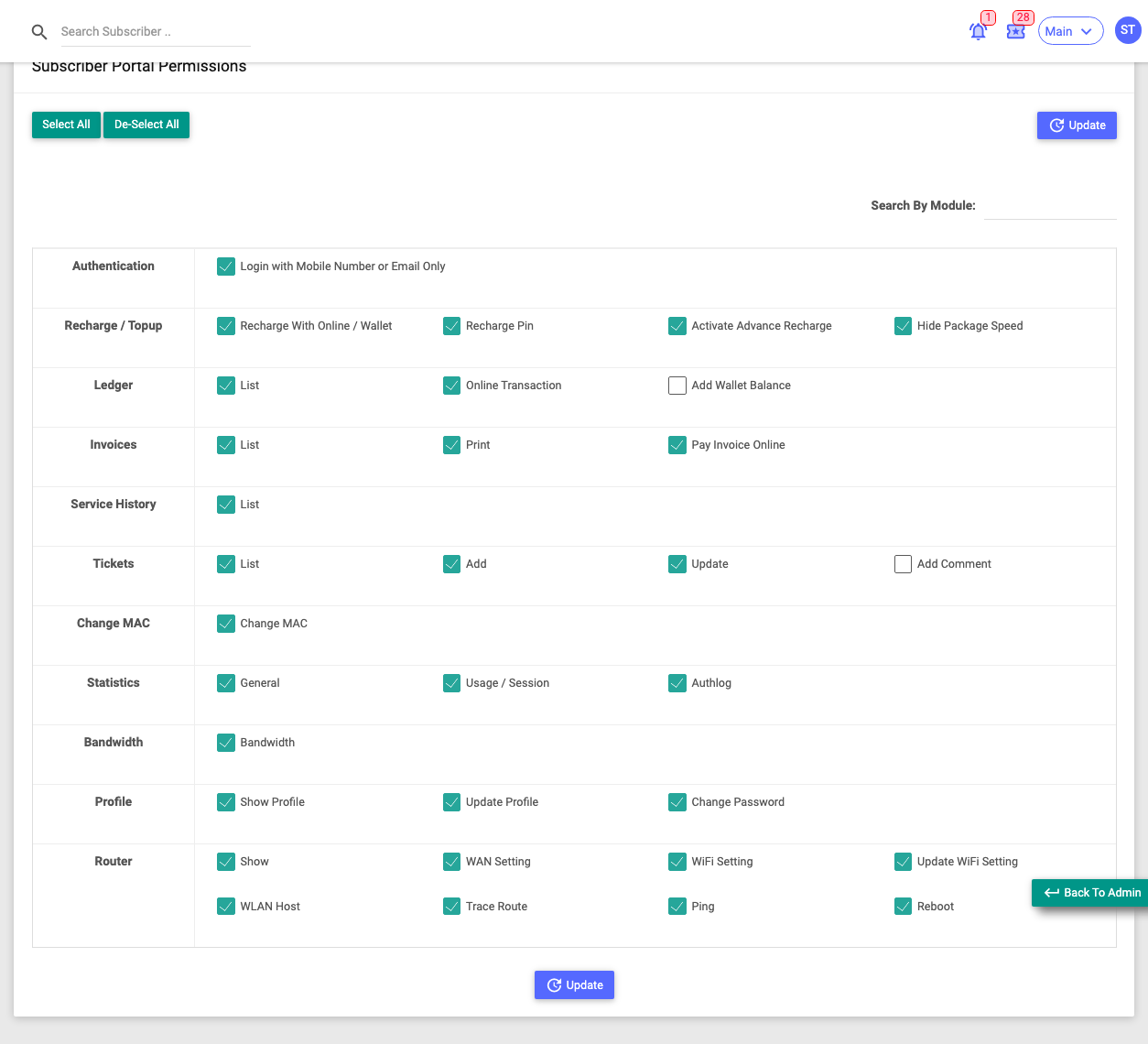
Use Select All / De-Select All to toggle everything at once, Search By Module to find a feature, and Update to save.
The feature groups
Each row is a feature area with its own checkboxes:
| Group | Customer can… |
|---|---|
| Authentication | Log in with just mobile number or email (no username). |
| Recharge / Topup | Recharge online or from wallet, redeem a recharge PIN, schedule an advance recharge; Hide Package Speed hides the plan speed from them. |
| Ledger | View their ledger and online transactions, add wallet balance. |
| Invoices | View and print invoices, pay an invoice online. |
| Service History | View their service history. |
| Tickets | View, create, update and comment on support tickets. |
| Change MAC | Change their device's MAC address. |
| Statistics | View general stats, usage/session, and their auth log. |
| Bandwidth | View live/graph bandwidth. |
| Profile | View and edit their profile, change their password. |
| Router | Manage their CPE via TR-069: view WAN/WiFi, update WiFi (SSID/password), see connected devices, run traceroute/ping, and reboot the device. |
:::caution The Router group gives customers device control Turning on Update WiFi Setting and Reboot lets customers change and restart their own router. These only make sense for customers whose equipment is managed via ACS (TR-069). Enable them only if you want customers to have that control. :::