Quotations Overview
Overview
A quotation is a formal price quote you prepare for a prospective or existing customer. It lists packages and/or custom items with quantities, prices, discount and taxes, adds up to a grand total, and shows a From block (your company's details) and a To block (the recipient). A quotation can later be converted into an invoice, and can be linked to a lead.
Who Can Use This Feature
Sales staff who quote prices to customers.
Required Permissions
- Quotation → List to view; plus Add, Show, Update, Convert To Invoice, Cancel, Close, Print, Send Email, Delete for the individual actions.
Navigation
CRM → Quotation
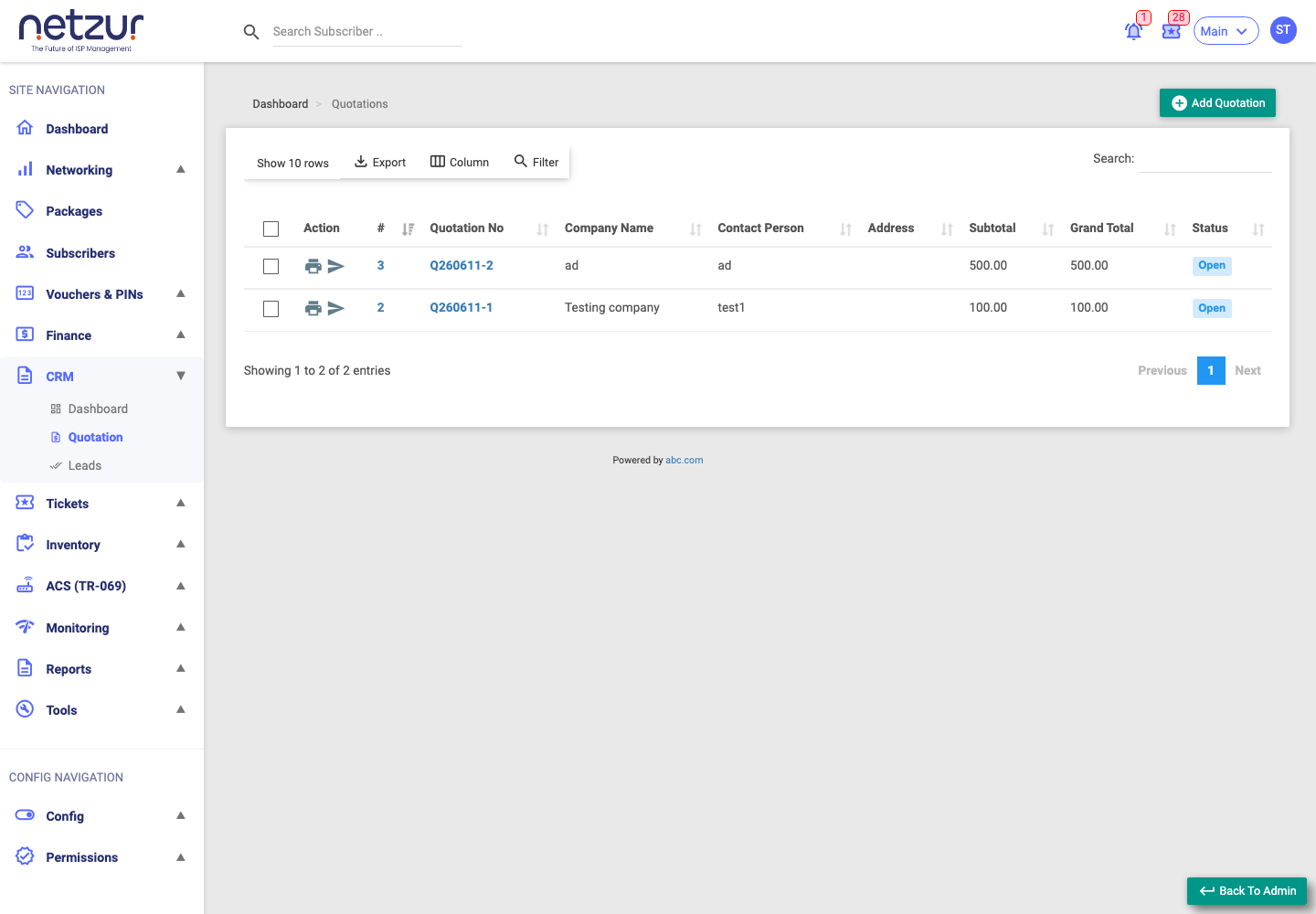
Quotation statuses
| Status | Meaning |
|---|---|
| Open (blue) | Active — can be edited, converted, cancelled or closed. |
| Closed (green) | Concluded — set by the Close action, or automatically when converted to an invoice. |
| Cancelled (red) | Voided. |
A quotation is editable only while Open and not yet linked to an invoice.
The list columns
| Column | Meaning |
|---|---|
| Action | Per-row Print and Send Email icons. |
| # / Quotation No | The quotation number — click to open it. |
| Company Name / Contact Person / Address | The recipient (the "To" details). |
| Subtotal / Grand Total | Totals before and after discount/tax. |
| Total Tax Amount / Discount Amount | Tax and discount values. |
| Comment | Internal remark. |
| Status | Open / Closed / Cancelled. |
| Created By / At, Updated By | Audit fields. |
Above the list: an Add Quotation button and the usual search/column controls. Tick rows to reveal the bulk Delete action.
Per-row actions
- Print (printer icon) — opens the quotation PDF (hidden for cancelled quotations).
- Send Email (send icon) — emails the quotation to the recipient (hidden for cancelled or closed quotations).
Click a quotation number to open its view/edit page, where the Convert, Cancel and Close actions live.
Important Notes
- There's no separate "Converted" status — a converted quotation simply shows as Closed.
- Quotations don't have a validity/expiry date; the only date is the quotation Date.
- Discount is available only on standard (postpaid) sites; reseller/prepaid sites don't show it.