Adding & Editing a Virtual Bank
Overview
Create a Virtual Bank for each real account or cash box you collect money into, and edit its details later. You can also put money in or take it out manually with Deposit and Withdrawal.
Required Permissions
- Virtual Bank → Add to create; Update to edit; Add Deposit / Add Withdrawal for manual movements.
Adding a Virtual Bank
Finance → Virtual Bank → Add ▾ → Virtual Bank
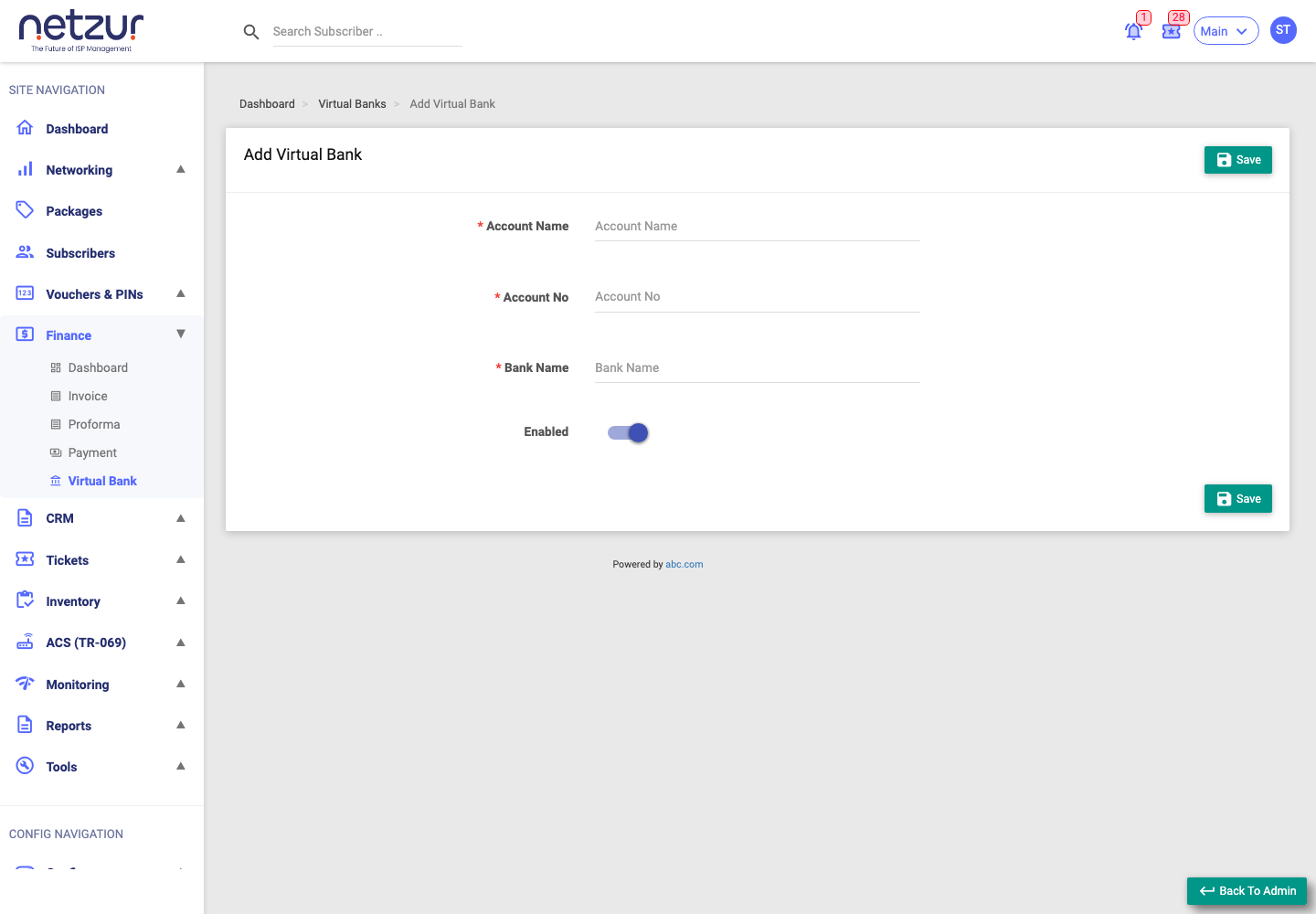
| Field | Required | Description |
|---|---|---|
| Account Name | Yes | A name for the account (e.g. "Main Cash Box", "HDFC Current"). |
| Account No | Yes | The account number. |
| Bank Name | Yes | The bank's name. |
| Enabled | No | On by default — turn off to stop the account being used. |
Select Save. You'll see "Virtual Bank Added Successfully". If the account number already exists you'll get "Account already exist."
Editing a Virtual Bank
Click a bank's # or Account Name on the list. The edit page has two tabs:
- Config — change the Account Name, Account No, Bank Name and Enabled status, and add a Remark (recorded in the history). Select Update to save.
- Audit Timeline — the change history for this bank (who changed what, and when).
Manual Deposit & Withdrawal
Use these to record cash movements the system didn't create automatically (for example, moving cash to the bank, or a correction). Open Add ▾ → Deposit or Withdrawal (from the banks list or a bank's transactions page). Both forms have the same fields:
| Field | Description |
|---|---|
| Account | The Virtual Bank (pre-selected when opened from a bank's own page). |
| Amount | How much. |
| Transaction Type | Cash, Cheque, Direct Deposit Cash, Direct Deposit Cheque or Bank Transfer. |
| Cheque No / Payee Name | Required for cheque types. |
| Transaction Date | The date. |
| Upload | Optional proof file. |
| Remark | Optional note. |
- Deposit records a Credit and raises the balance.
- Withdrawal records a Debit and lowers the balance.
Manual Deposit/Withdrawal is only offered on a bank's transactions page when the bank is Enabled.
Deleting a bank
Tick banks on the list and choose Action → Delete. Deletion is a soft-delete (the account number is freed up for reuse).
Caution: deleting a bank is not blocked by it having transactions or a balance. Make sure you've reconciled a bank before removing it.
Important Notes
- Account numbers must be unique on your site.
- A disabled bank stays in the list but shouldn't be used for new collections.