Virtual Bank Overview
Overview
A Virtual Bank is a money account (a ledger) you set up to represent a real place where collected money lands — for example a cash box, or a specific bank account your business owns. Each Virtual Bank has an Account Name, Account No and Bank Name, and keeps a running list of transactions: money in (Credit) and money out (Debit), with the resulting balance after each one.
Money mostly flows into a Virtual Bank automatically from Payments: when you record a customer payment using Direct Deposit Cash, Direct Deposit Cheque or Bank Transfer and pick a Virtual Bank, the system credits that bank. You can also add or remove money manually with Deposit and Withdrawal.
In plain terms: a Virtual Bank is a named "pot" of money you can reconcile against your real cash box or bank statement.
Who Can Use This Feature
Accounts staff responsible for reconciling collections against real bank/cash.
Required Permissions
- Virtual Bank → List to view; plus Add, Show, Update, Delete, Add Deposit, Add Withdrawal and List Transaction for the individual actions.
Navigation
Finance → Virtual Bank
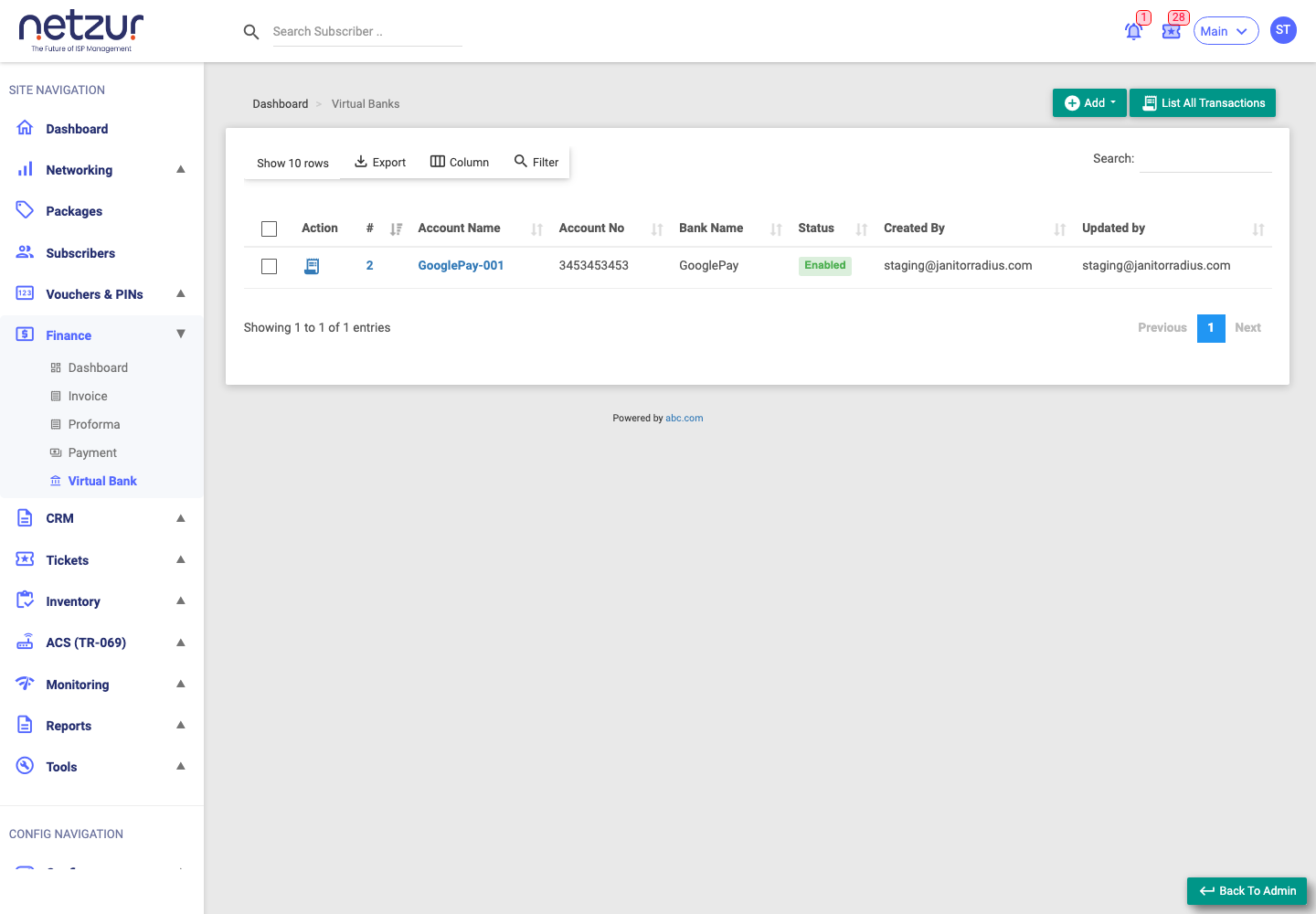
The list columns
| Column | Meaning |
|---|---|
| Action | List Transaction (opens that bank's ledger). |
| # / Account Name | The bank's id and name — click to edit it. |
| Account No | The account number. |
| Bank Name | The bank name. |
| Status | Enabled (green) or Disabled (orange). |
| Created By / Updated By | Audit fields. |
What you can do here
- Add ▾ (top-right) — create a new Virtual Bank, or record a Deposit or Withdrawal into an existing one. See Adding & editing a bank.
- List All Transactions — open the combined ledger across every bank. See Transactions.
- List Transaction (per row) — open one bank's ledger.
- Tick rows to reveal the bulk Delete action.
The current balance of a bank isn't shown on this list — it appears at the top of the bank's own transactions page.
Important Notes
- There's no opening-balance field — a bank's balance is built entirely from its transactions, starting at zero.
- A Virtual Bank has an Enabled/Disabled status but no account "type" (savings/current); the Cash/Cheque/Transfer classification is recorded per transaction, not per bank.