Virtual Bank Transactions
Overview
Every Virtual Bank keeps a ledger of its money movements. There are two views: one bank's own transactions, and a combined All Bank Transactions view across every account. Use them to reconcile what the system shows against your real cash box or bank statement.
Required Permissions
- Virtual Bank → List Transaction.
One bank's transactions
Finance → Virtual Bank → (row) List Transaction
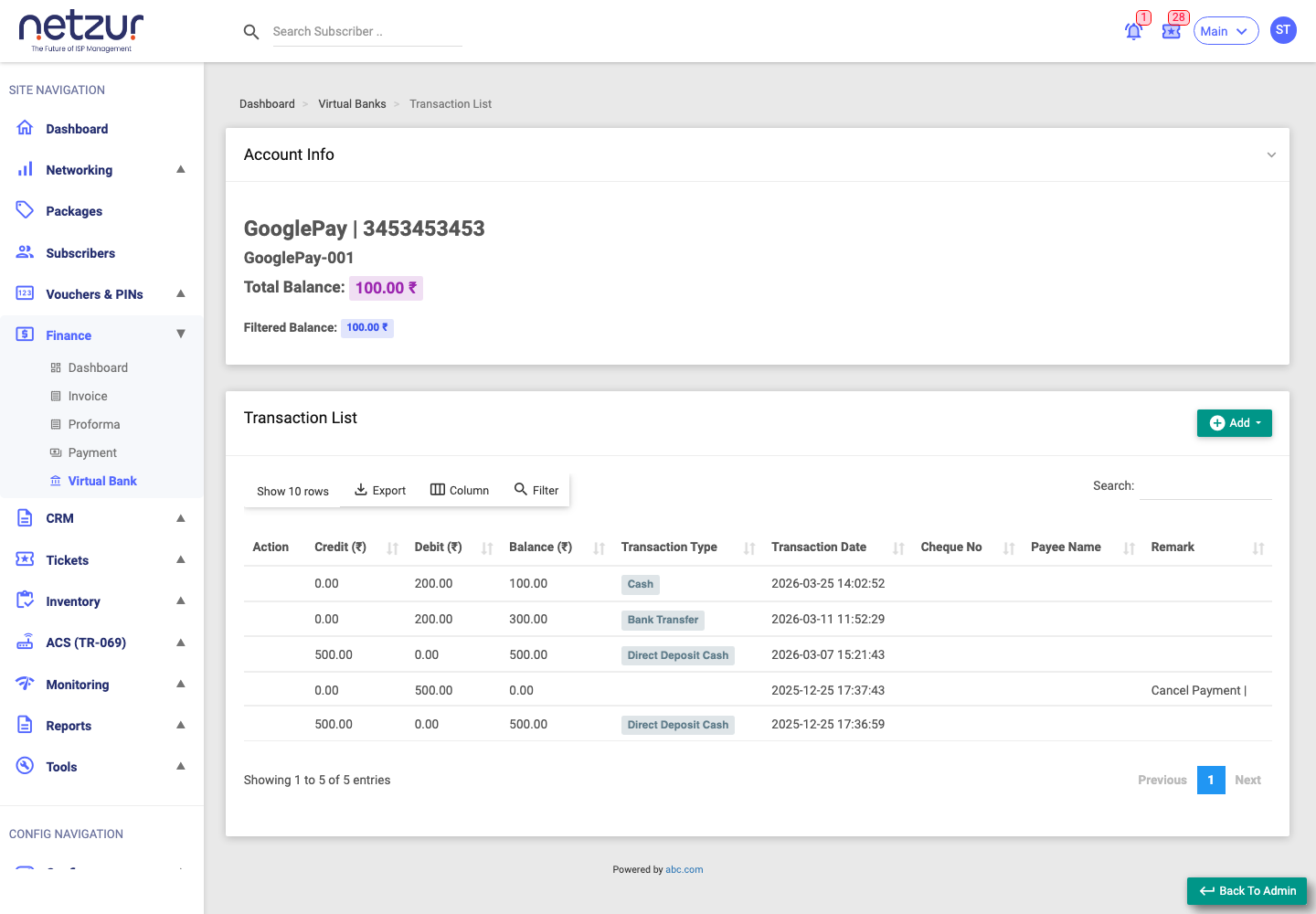
At the top, an Account Info card shows the bank's name and number, its Total Balance (the current balance), and a Filtered Balance (the net of just the rows currently shown as you search/filter).
The ledger columns:
| Column | Meaning |
|---|---|
| Action | View Image — the attached proof, if any. |
| Credit | Money in. |
| Debit | Money out. |
| Balance | The running balance after this transaction. |
| Transaction Type | Cash, Cheque, Direct Deposit Cash/Cheque or Bank Transfer. |
| Transaction Date | When it happened. |
| Cheque No / Payee Name | For cheque transactions. |
| Particulars | For payment-generated rows, hover to see the linked Payment Ids. |
| Remark | The note saved with the transaction. |
| Created By / Updated By, ID | Audit fields. |
What a row means: a Credit is money added — either from a customer payment (via Payments, when a bank-linked mode was used) or a manual Deposit. A Debit is money removed — a manual Withdrawal. Payment-generated rows carry Payment Ids in Particulars; manual rows carry your remark.
To add money in/out here, use Add ▾ → Deposit / Withdrawal (shown when the bank is enabled) — see Adding & editing a bank.
All Bank Transactions
Finance → Virtual Bank → List All Transactions
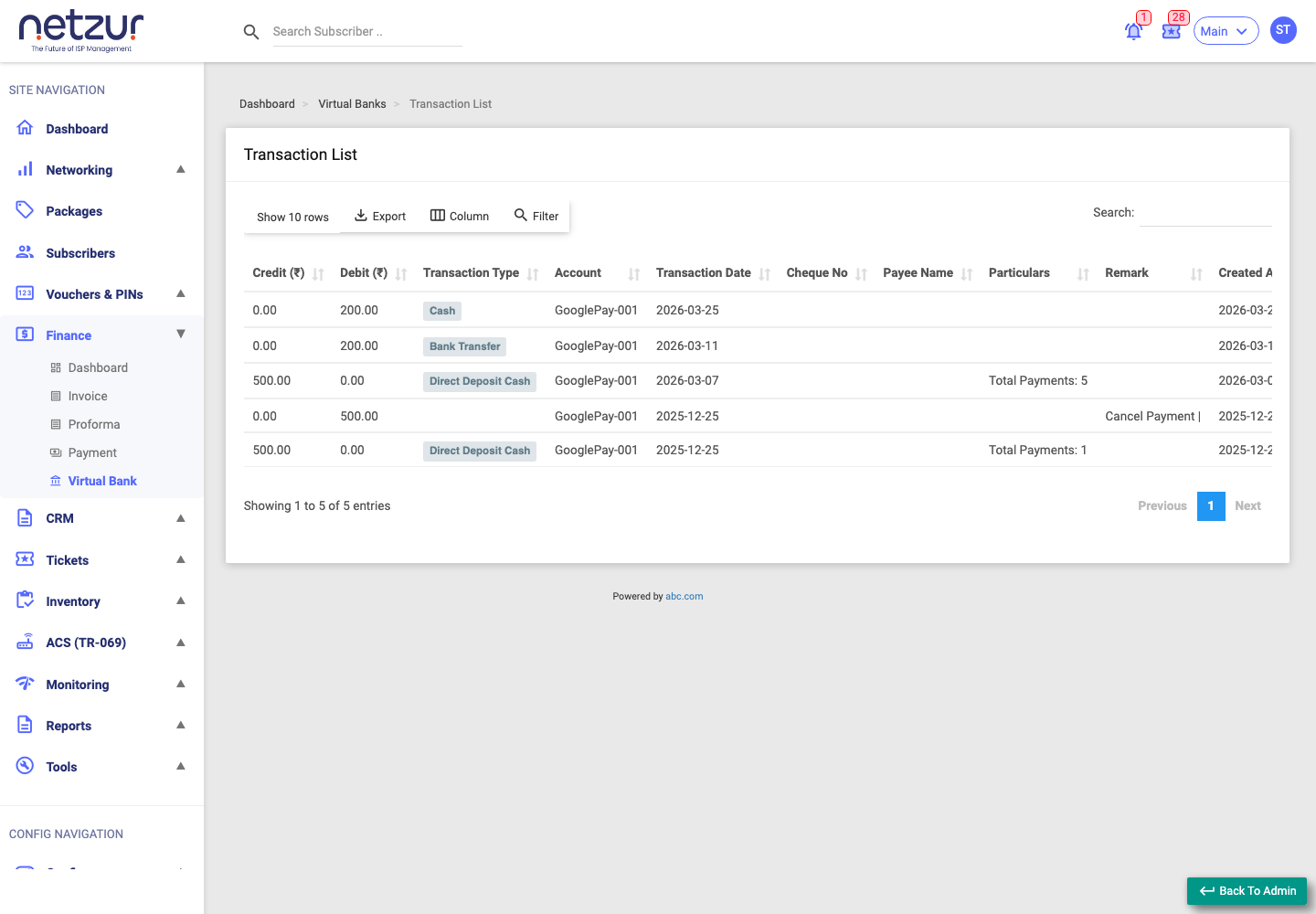
This is the combined ledger across every Virtual Bank. It's read-only and adds an Account column showing which bank each transaction belongs to. It shows Credit, Debit, Transaction Type, Account, Transaction Date, Cheque No, Payee Name, Particulars, Remark and Created At/By — but, unlike the single-bank view, there's no running balance, no add controls, and no per-row image action.
How money enters and leaves a bank
- In: a customer payment recorded with Direct Deposit Cash/Cheque or Bank Transfer pointed at the bank, or a manual Deposit.
- Out: a manual Withdrawal.
"Bank Transfer" here is only a transaction type label — there's no move-money-between-banks feature.
Important Notes
- The balance is built up transaction by transaction; the Total Balance on the single-bank page reflects the latest transaction.
- Particulars → Payment Ids links a bank credit back to the payment that created it — handy when reconciling.