Requisitions
Overview
A Requisition is an internal request for stock — a staff member asks for a quantity of a product for a stated purpose (internal use, rent, sell, or assign to a customer). Each request runs through an approval workflow before it's actioned.
Required Permissions
- Requisition → List, plus Add / Update, and Approve to approve/reject and Cancel to cancel.
Navigation
Inventory → Requisitions
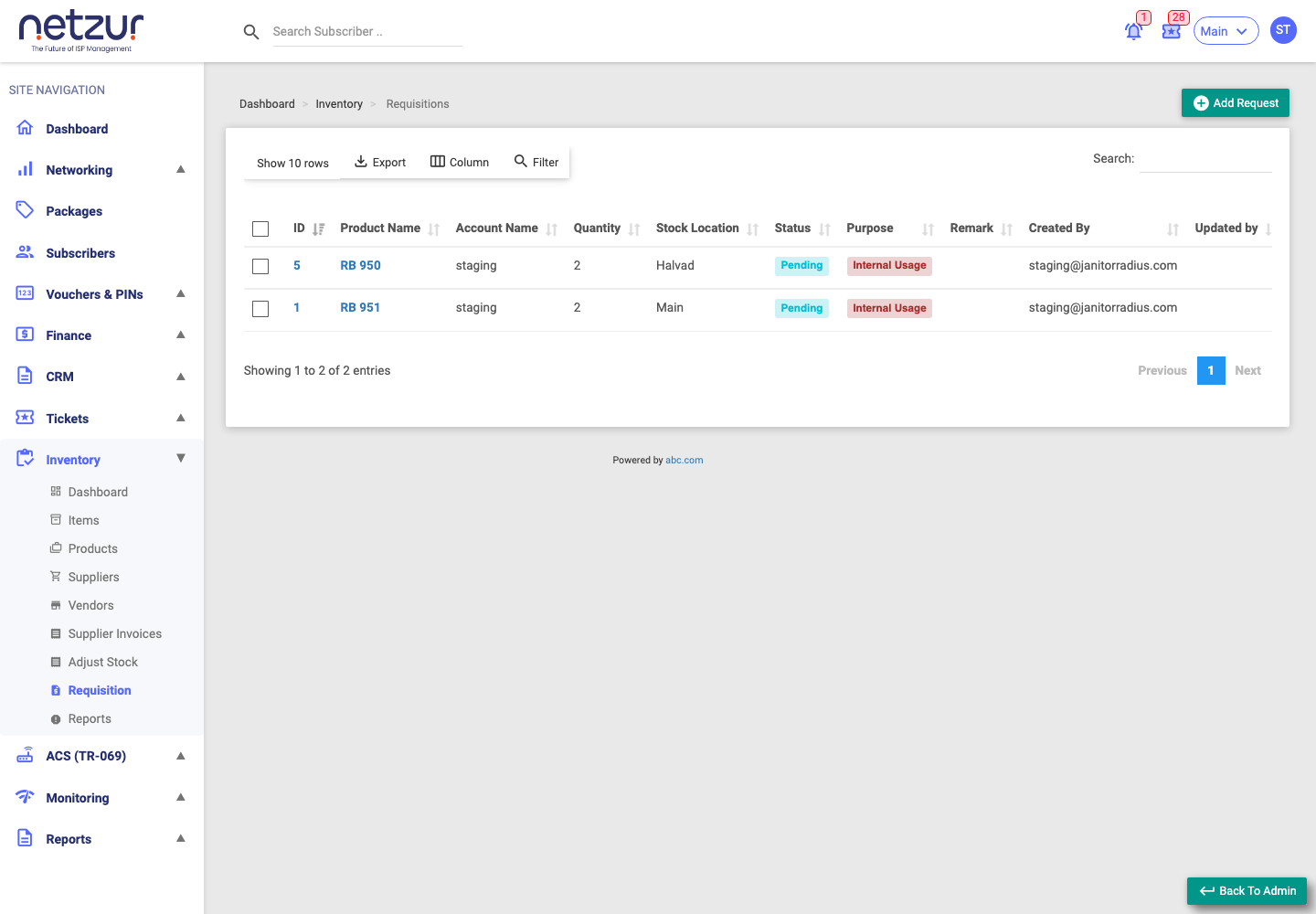
The list
| Column | Meaning |
|---|---|
| Id / Product Name | The request — click to edit. |
| Account Name | Who the request is for. |
| Quantity | How many units requested. |
| Stock Location | Where they're needed. |
| Status | Pending · Approve · Reject · Cancel. |
| Purpose | Internal Usage · Rent · Sell · Assign. |
| Remark | Any note. |
The Status and Purpose filters are dropdowns. Standard Export / Column / Filter tools apply.
Who sees what: staff without approve permission see only their own requests; approvers see every request for the site.
Raising a request
Inventory → Requisitions → Add Request
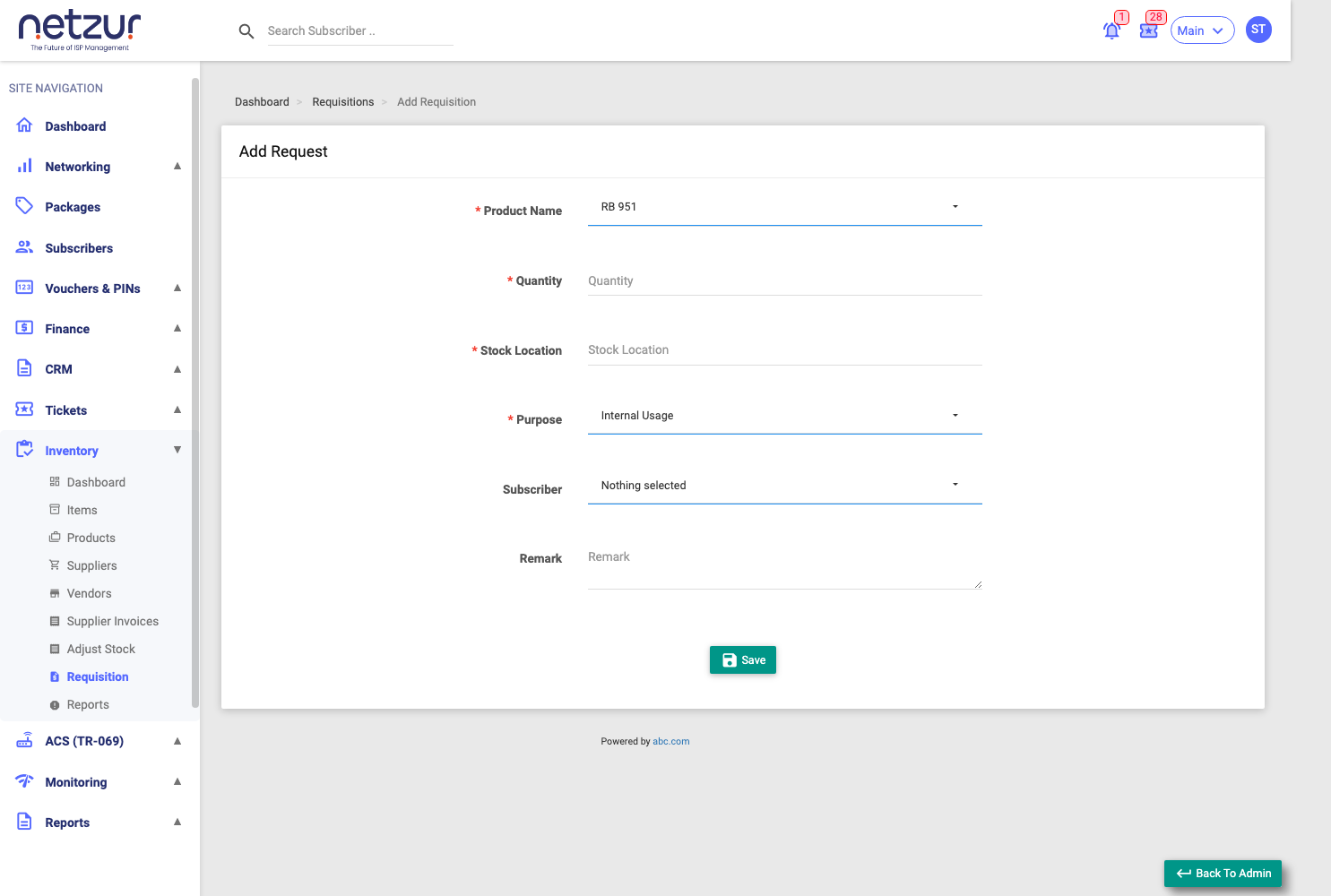
| Field | Required | Description |
|---|---|---|
| Product Name | Yes | The product being requested. |
| Quantity | Yes | How many units. |
| Stock Location | Yes | Where they're needed (with suggestions from past locations). |
| Purpose | Yes | Internal Usage, Rent, Sell or Assign. |
| Subscriber | No | The customer(s), when the request is for a specific subscriber. |
| Remark | No | Any note. |
Select Save — the request is created as Pending.
Approving or rejecting
Approvers tick one or more requests and choose Action → Approve. A popup offers:
- Status — Approve or Reject.
- Remark — an optional note.
Approving sets the request to Approve; rejecting sets it to Reject.
You can't approve or reject a request that's already been cancelled.
Cancelling
Select requests and choose Action → Cancel, then confirm.
Only Pending requests can be cancelled — anything already approved, rejected, or cancelled can't be.
Important Notes
- Approving a request records the decision; it doesn't move stock by itself — the actual sell/rent/assign is still done from the Items list.
- All requisition actions are written to the audit log; there are no email/SMS notifications from this screen.