ONU Details
Overview
The ONU Details page is the full picture of a single customer's fibre box — its live optical readings, where it sits on the network, which subscriber it belongs to, and a 60-poll signal history so you can see whether its connection is stable or degrading.
Navigation
Monitoring → ONUs → (click View on an ONU) — also reachable from an OLT's ONUs tab.
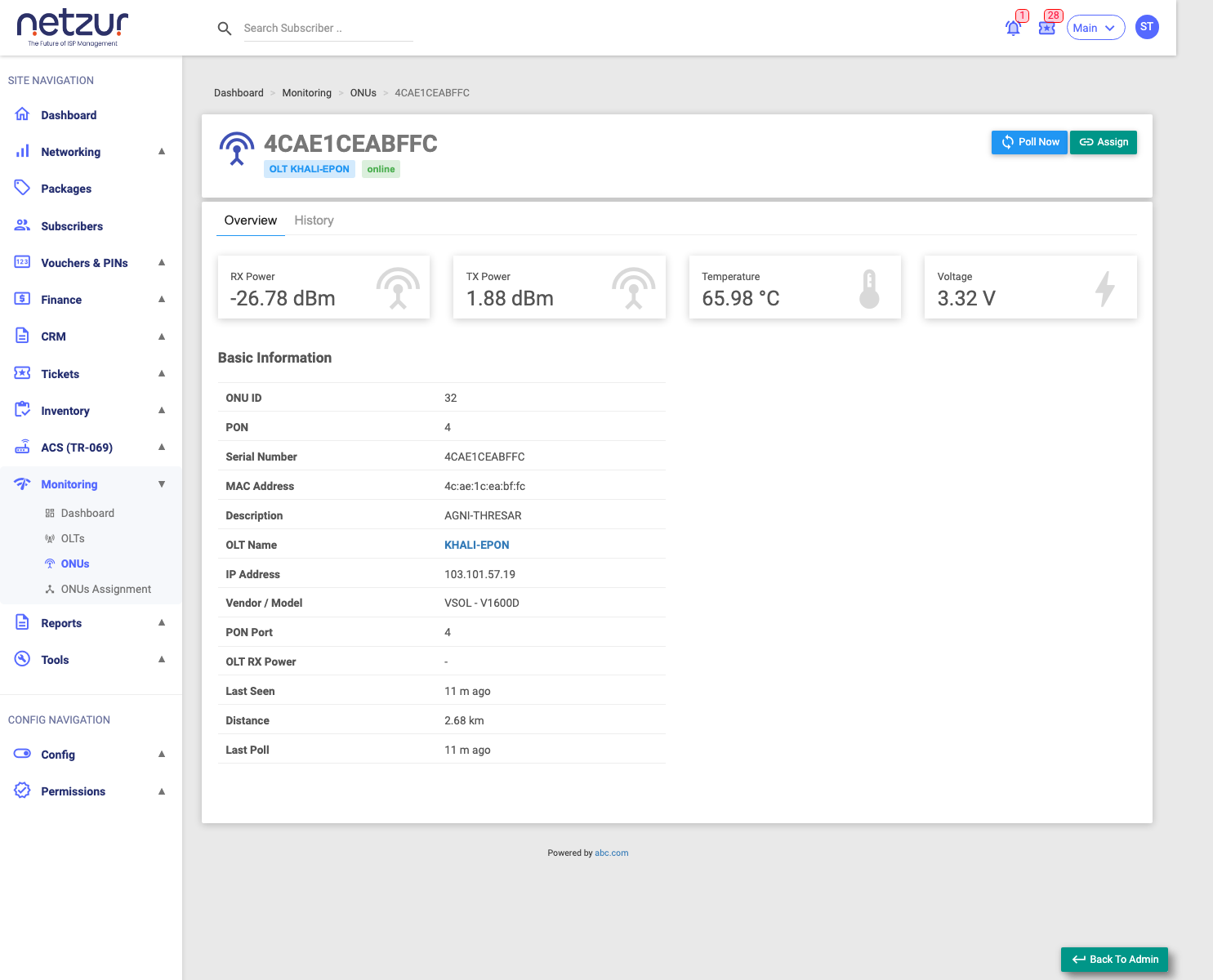
The header
Shows the ONU's serial number (or MAC), its OLT, and a status badge (online / low signal / offline). On the right:
- Poll Now — reads this ONU fresh from its OLT.
- Assign (if unassigned) or Change Subscriber / Unassign (if assigned) — manage the subscriber link.
Overview tab
Four signal tiles at the top — RX Power, TX Power, Temperature and Voltage — the ONU's current optical health.
Basic Information — the identity and placement: ONU ID, PON, serial number, MAC, description, OLT name, IP address, vendor/model, PON port, OLT RX power, Last Seen, Distance, and Last Poll.
Subscriber Information (only when the ONU is assigned) — the linked customer: subscriber ID, name, username, code, email, mobile, package, MAC, and account Status (Active / Suspended / Disabled / Expired / No Package). This is the billing-account status, separate from the ONU's optical link.
History tab
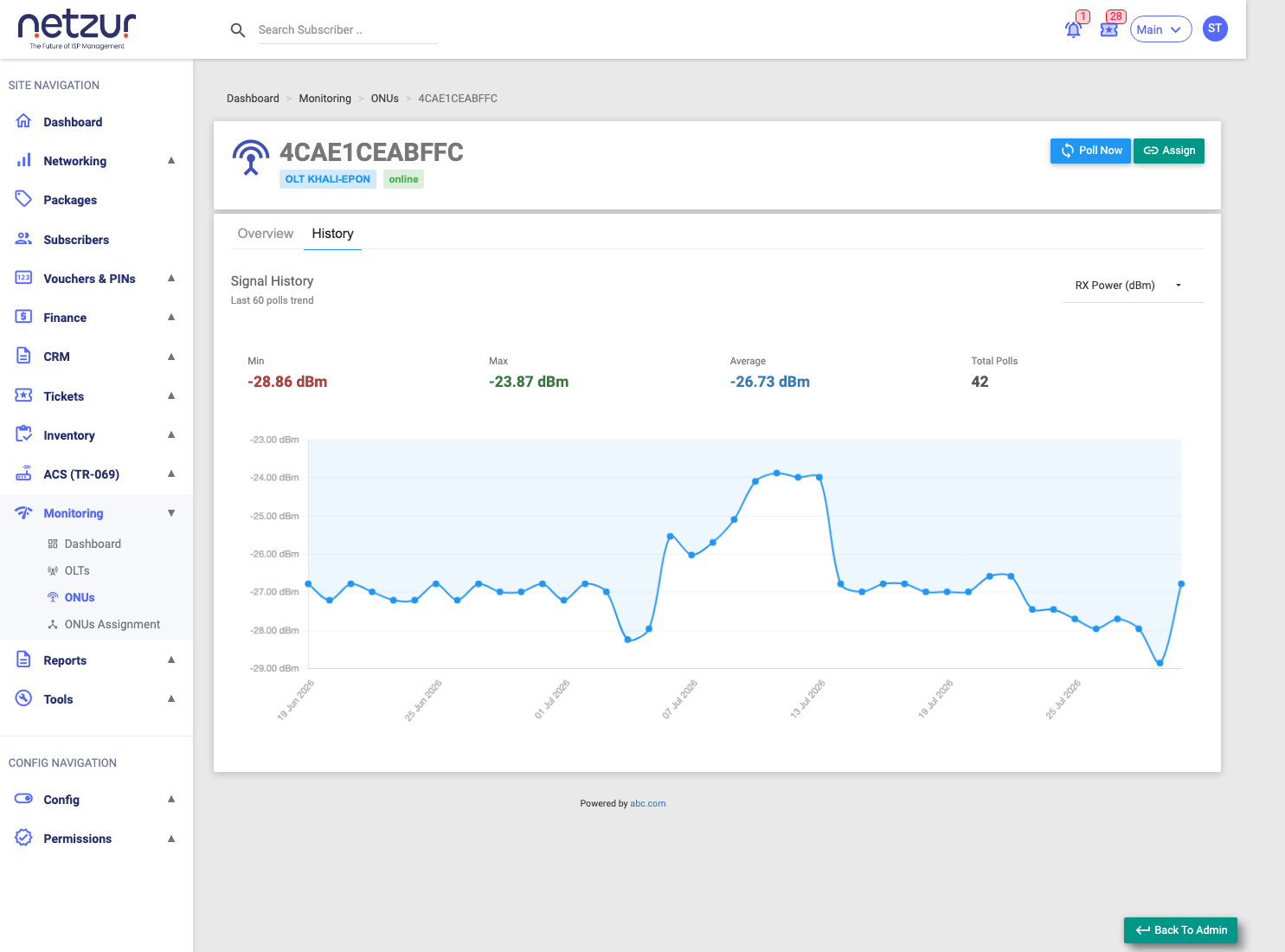
Signal History plots the last 60 polls so you can spot trends and intermittent problems. Pick the metric — RX Power, TX Power, OLT RX Power, Temperature, Voltage, or Distance — and the chart redraws, with Min / Max / Average and the total polls shown above it.
A signal line that's slowly drifting more negative is a fibre degrading over time — worth a proactive check before it drops the customer.
Important Notes
- All readings come from polling the parent OLT; use Poll Now for an on-demand refresh.
- There's no reboot here — ONU actions are Poll Now, Assign, Change Subscriber and Unassign.