IPv6 Pool Overview
Overview
An IPv6 pool is a block of newer-style internet (IPv6) addresses that Netzur IMBS assigns to subscribers who need a static IPv6 address. It works like the IPv4 Pool, but an IPv6 block is defined by a Network and a Prefix Length (for example 2001:db8:1234:: / 48) rather than a start–end range.
Who Can Use This Feature
Network administrators and engineers.
Required Permissions
- IPv6 Pool → List to view.
- IPv6 Pool → Add / Update / Delete to manage pools.
Prerequisites
- You know the IPv6 network prefix your ISP owns and can assign.
Navigation
Networking → IPv6 Pool
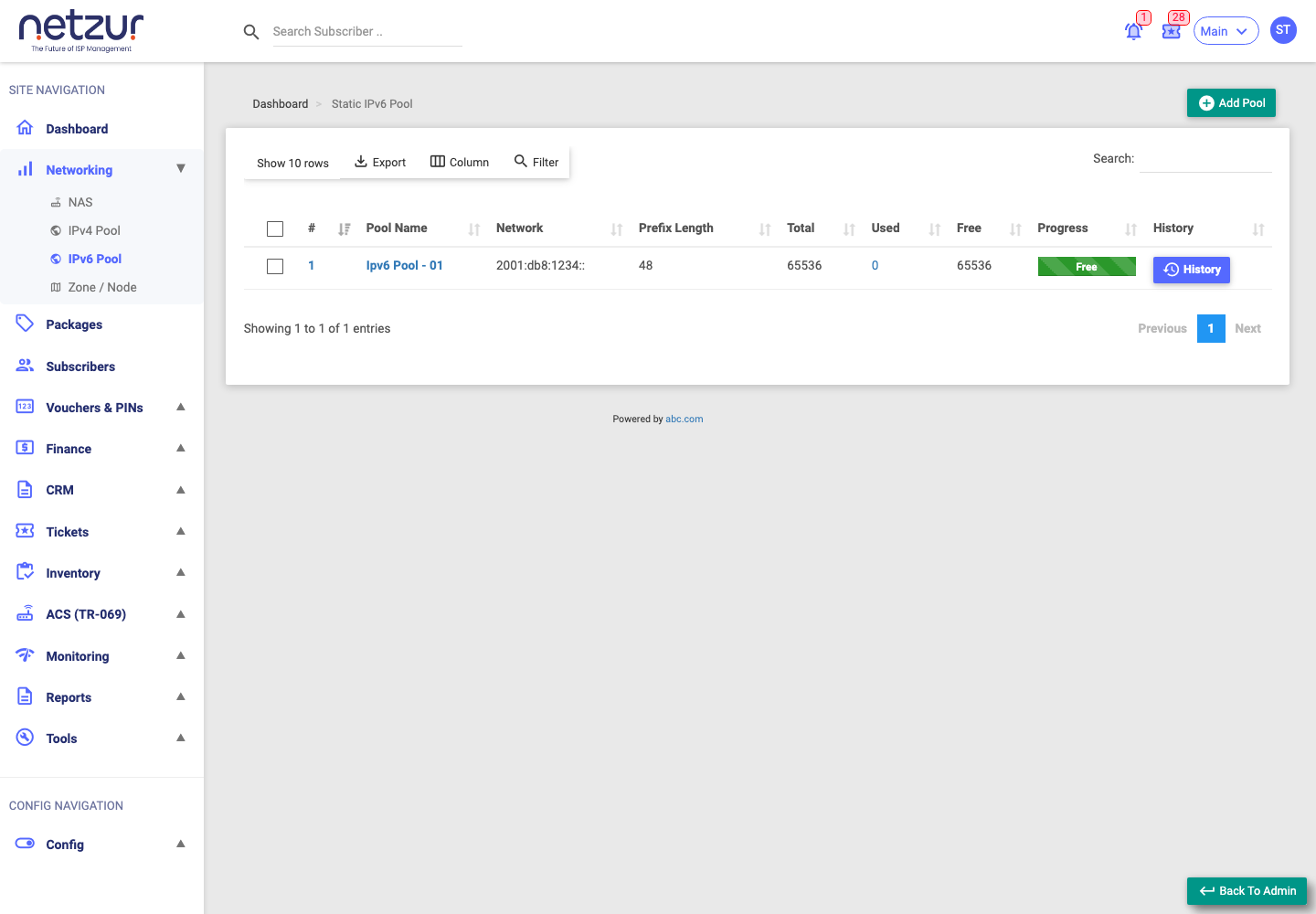
The IPv6 Pool list
| Column | Meaning |
|---|---|
| # | Internal reference number of the pool. |
| Pool Name | The name you gave the pool (a link — opens Edit). |
| Network | The IPv6 network prefix (e.g. 2001:db8:1234::). |
| Prefix Length | The size of the block (e.g. 48). |
| Total | Total addresses the block provides. |
| Used | How many are currently assigned (a link — opens Used addresses). |
| Free | How many remain. |
| Progress | A bar showing how full the pool is. |
| History | Opens the pool's allocation history. |
Above the list you can Add Pool, Export, choose Columns, Filter and Search.
What you can do
- Add Pool — create a new block (see Add an IPv6 Pool).
- Edit / Delete — open a pool by its name (see Edit and Delete a Pool).
- Used addresses — click the Used count to see current assignments.
- History — use the History button for the allocation log (see Track Usage and History).
Important Notes
- Pools provide static IPv6 addresses; subscribers on dynamic addressing don't consume them.
- IPv6 values are long and hexadecimal — enter the Network carefully.
Common Mistakes
- Typing the IPv6 network incorrectly.
- Choosing the wrong Prefix Length for the block you own.
Troubleshooting
| Problem | Likely cause | What to do |
|---|---|---|
| No free IPv6 addresses | Pool fully used | Check the Used list; add another pool. |
| Save rejected | Invalid network or prefix | Re-check the Network and Prefix Length. |