Login Accounts
Overview
Login Accounts (also called User Accounts) are the individual sign-in accounts for your staff. Each account is a person who can log into the operator portal, and each is assigned one Role that decides what they can do.
Navigation: Permissions → Login Accounts
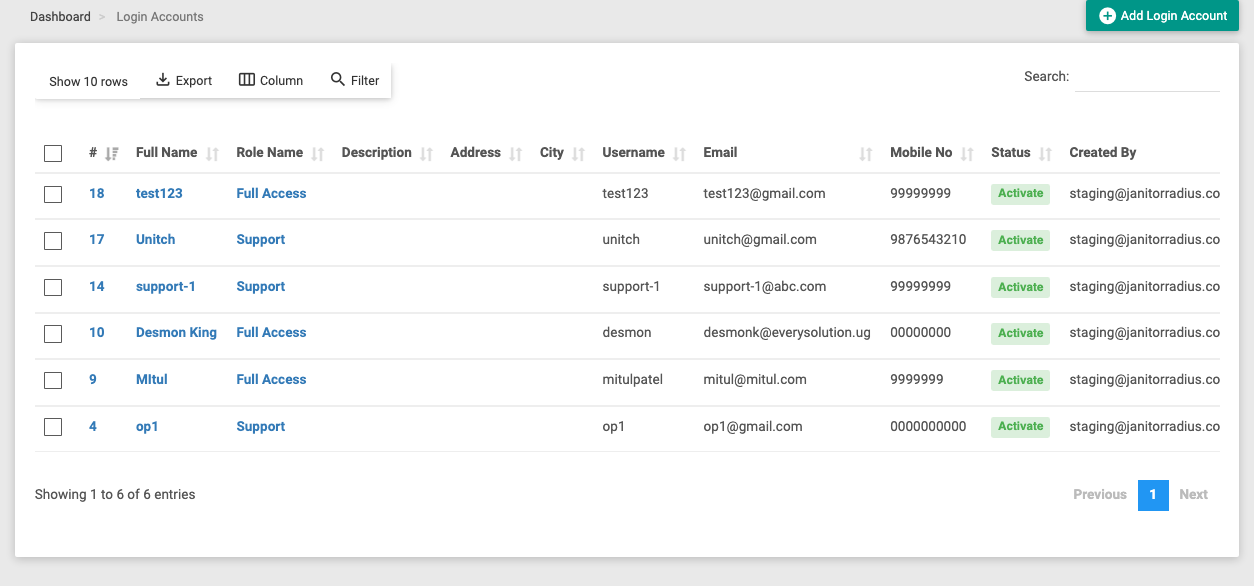
The list shows each account's Full Name, assigned Role Name, contact details (Username, Email, Mobile No), and Status. Add Login Account (top-right) creates a new one; click a name to edit it.
Creating a login account
Click Add Login Account and fill in the person's details:
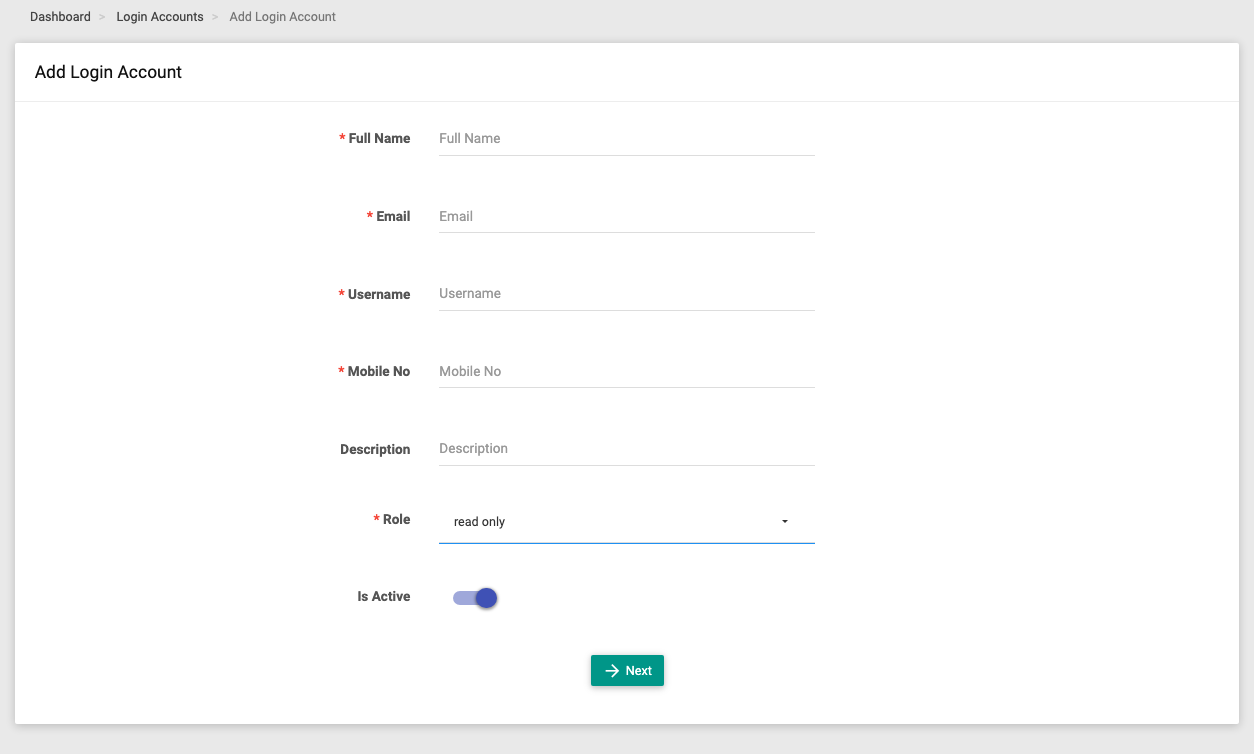
| Field | Required | What it does |
|---|---|---|
| Full Name | Yes | The staff member's name. |
| Yes | Their email — used for sign-in and verification. | |
| Username | Yes | The username they log in with. |
| Mobile No | Yes | Their contact number. |
| Description | No | An optional note (e.g. "Front desk, evening shift"). |
| Role | Yes | The role that sets this person's permissions. |
| Is Active | — | Whether the account can sign in. Turn off to suspend access without deleting the account. |
Click Next to continue. The account's email is verified and a password is set before the account goes live, so the new staff member can sign in securely.
Managing accounts
- Edit — open an account (click its name) to change its details, switch its Role, or toggle Is Active.
- Suspend vs delete — turning Is Active off blocks sign-in while keeping the account and its history; deleting removes it.
- Change role — moving someone to a different role instantly changes what they can access.
:::note The role does the work A login account on its own grants nothing — its Role decides everything the person can see and do. To change what a staff member can access, either change their role or edit that role's permissions. :::
Give each person their own account rather than sharing one — the audit log records actions by account, so shared logins make it impossible to tell who did what.