IP Address Reports
These three reports help you manage your static IP pools — what's free, what's assigned, and what's about to expire.
All share the standard interface (filter bar → Search → results table). See How every report works.
Unused IP
Menu: Reports → Unused IP
Lists the free/available addresses in a chosen static IP pool.
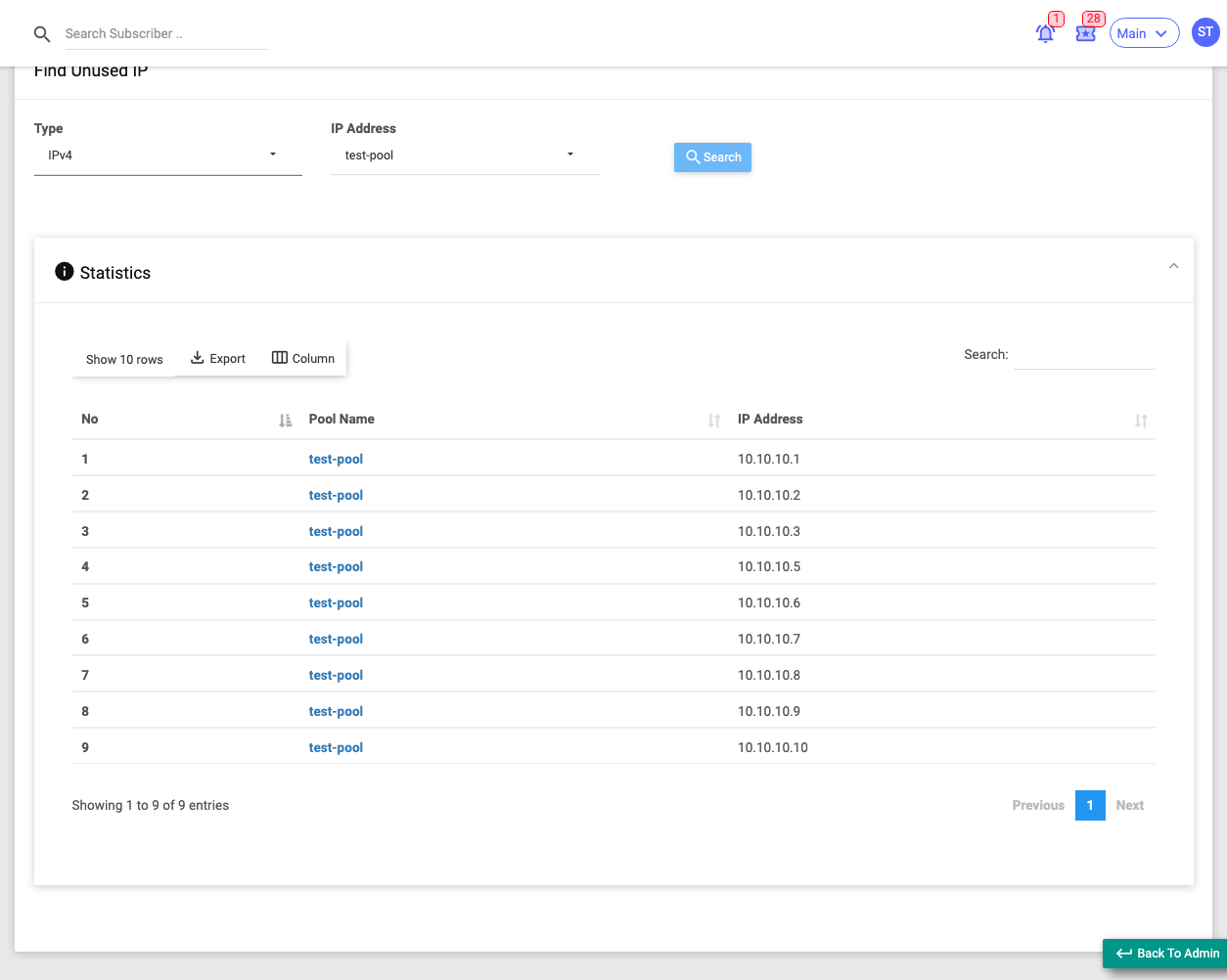
Use it when you need to find an address you can still assign to a customer.
Filters: Type (IPv4 / IPv6), IP Address (the pool to look in).
Columns: No., Pool Name, IP Address.
For IPv6 the list is capped at the first 50 addresses (pools are enormous). There's no date filter — this is a live view of the pool.
Used IP
Menu: Reports → Used IP
Lists the addresses in a static pool that are currently assigned, together with the subscriber holding each one.
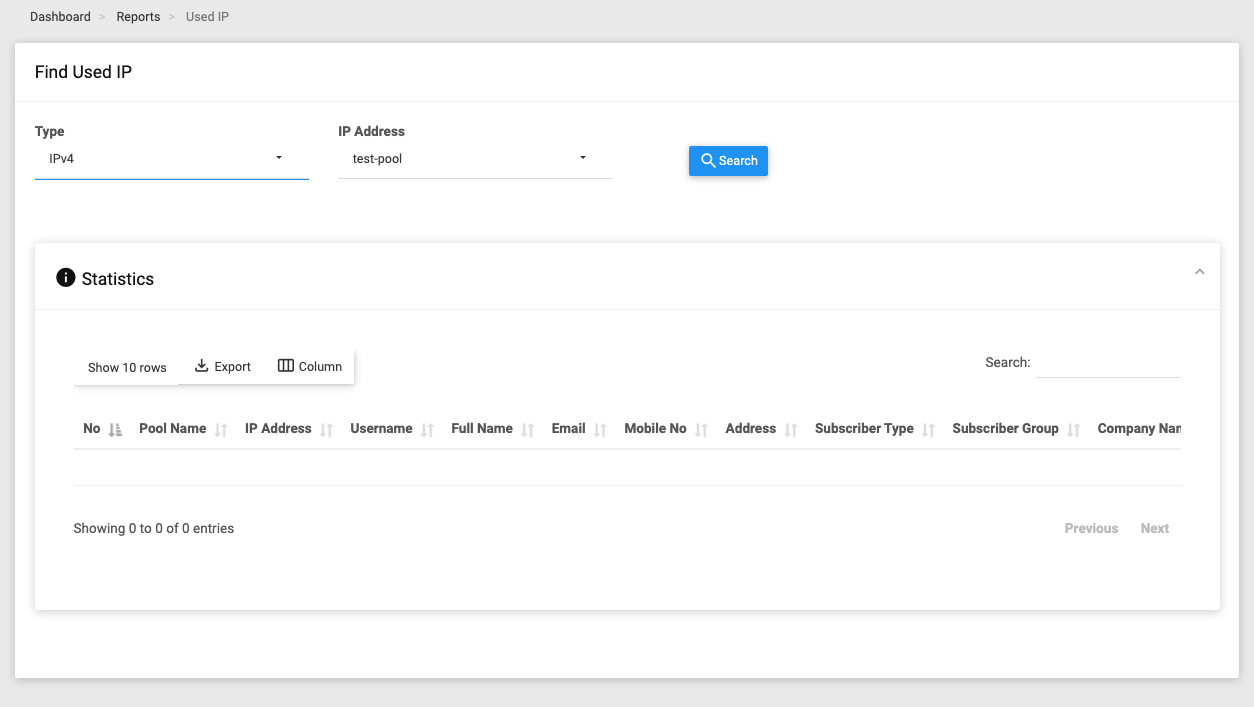
Use it when you want to see who has which static IP right now.
Filters: Type (IPv4 / IPv6), IP Address (the pool).
Key columns: No., Pool Name, IP Address, Username, plus full contact/account columns.
Shows currently-open assignments only. No date filter. Clicking a shared pool shows a note that it's shared and can't be edited from here.
Expiring IP
Menu: Reports → Expiring IP
Lists subscribers whose static IP lease (or IPv6 prefix/delegation) is expiring within the chosen window, so you can renew before service breaks. Dates already past are shown in red.
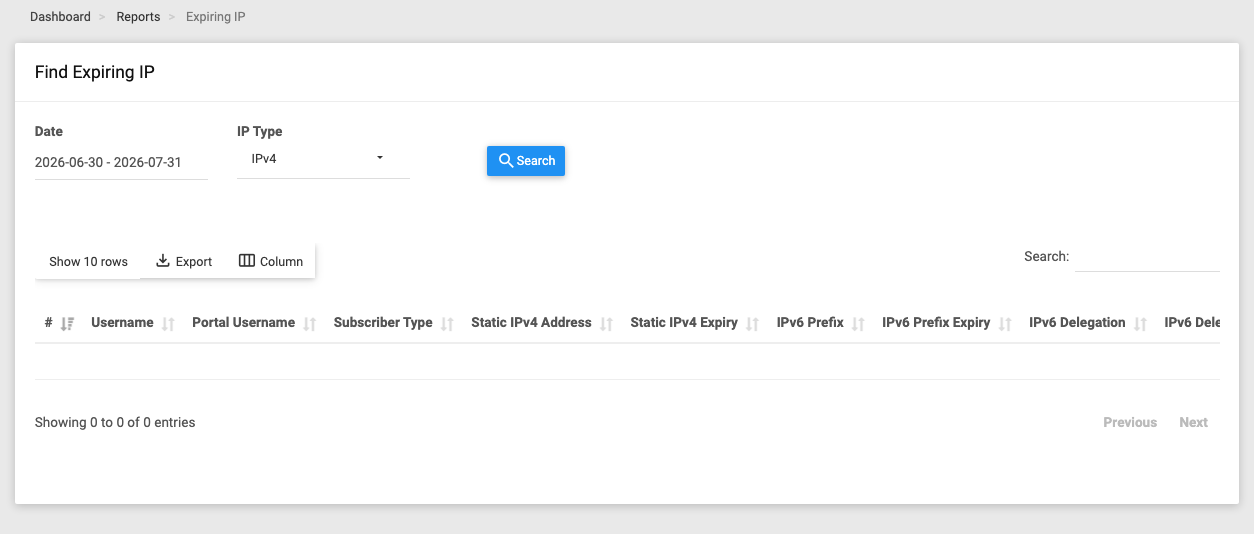
Use it when you want to catch IP leases about to lapse.
Filters: Date (the IP expiry-date window), IP Type (IPv4 / IPv6).
Key columns: Username, Sub Type, Static IPv4 Address + Expiry, IPv6 Prefix + Expiry, IPv6 Delegation + Expiry, Package, plus contact/account columns.
Voucher accounts are excluded. The IPv6 filter matches either a prefix expiry or a delegation expiry.