Payments & Billing Reports
These three reports cover money movement — what you collected, the full credit/debit ledger, and online gateway transactions.
All share the standard interface (filter bar → Search → results table with Column chooser and Export). See How every report works. All amounts are in your site's currency.
Collection
Menu: Reports → Collection
Money received over a period — how much you collected, from whom, by which payment method, and which staff member took the payment. One row per receipt.
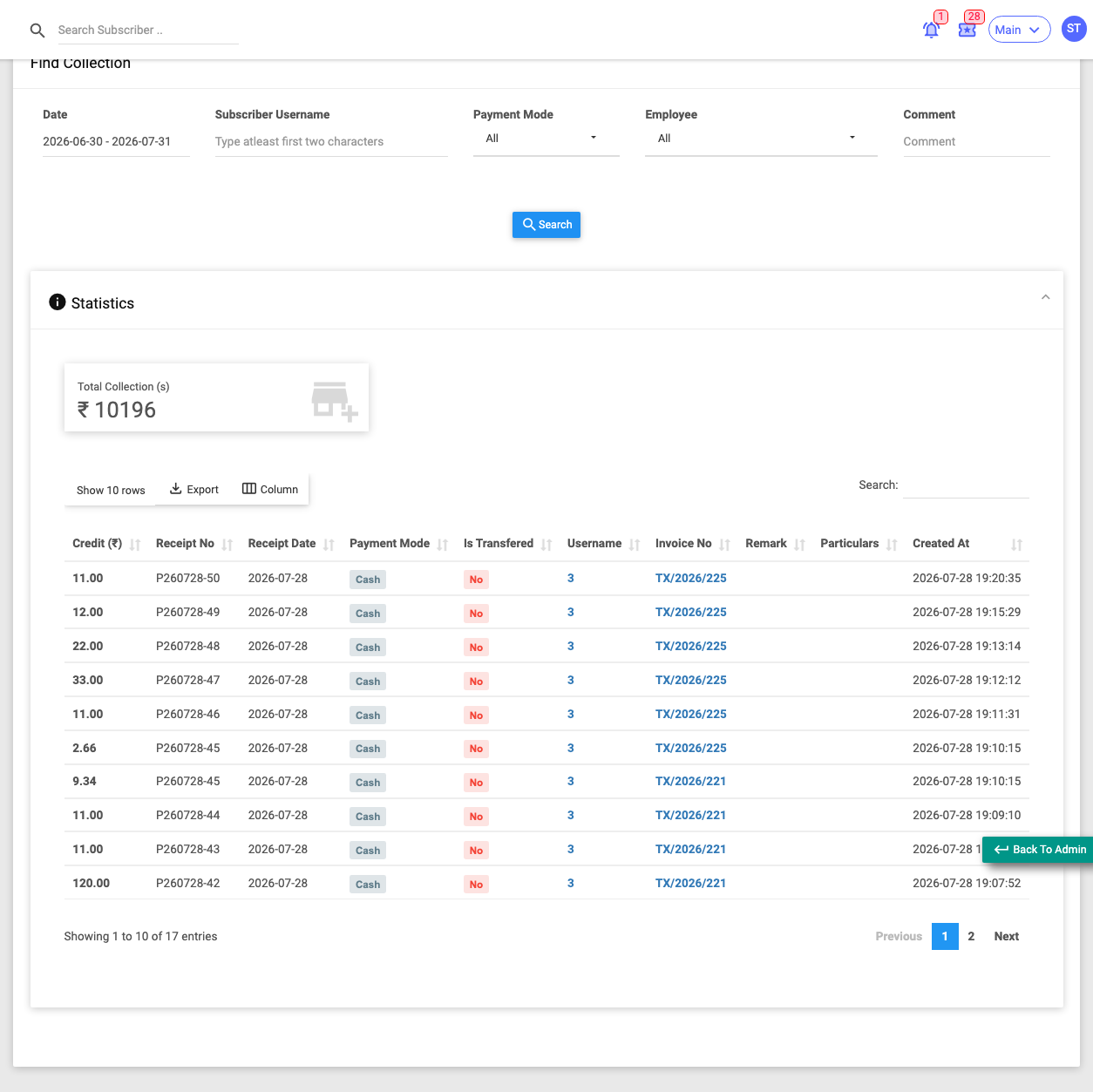
Use it when you want a daily/period collection summary, or to reconcile cash handled by staff.
Filters: Date (receipt date), Subscriber Username, Payment Mode (Wallet, Cash, Cheque, Direct Deposit, Bank Transfer, Payment Gateway, Other), Employee (a staff member or Subscriber Self), Comment.
Key columns: Credit (amount), Txn ID, Receipt No, Receipt Date, Payment Mode, Is Transferred / Account Name (whether the receipt was deposited into a defined virtual bank), Username, Invoice No, Remark, plus contact/account columns.
Summary tile: Total Collections.
Shows money in only — actual, non-cancelled credit entries. For refunds and reversals too, use Statements.
Statements
Menu: Reports → Statements
The full credit-and-debit ledger for subscriber payments — the broadest financial view, including refunds and adjustments. One row per ledger entry.
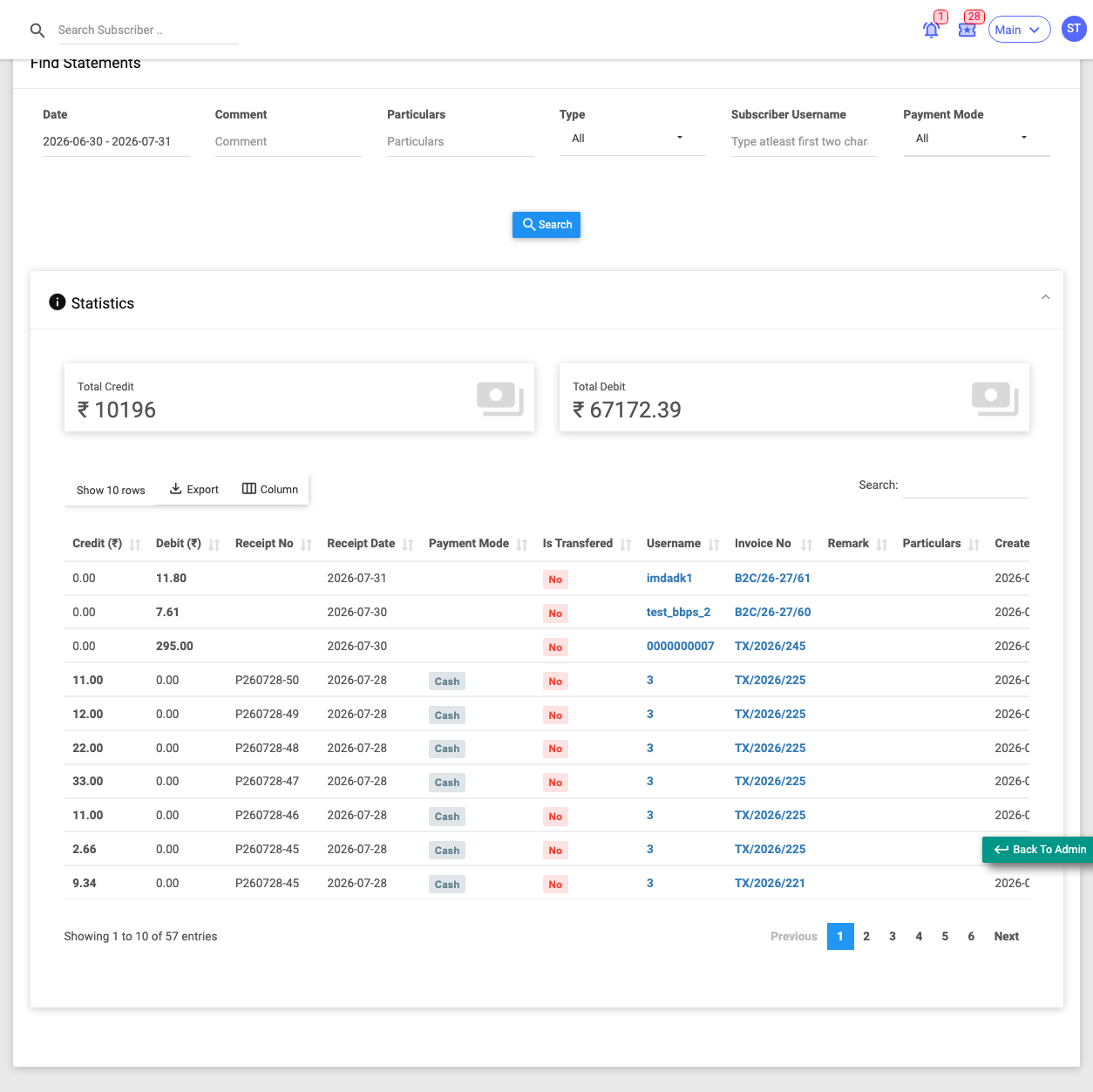
Use it when you need a complete financial picture, including money going out as well as in.
Filters: Date (receipt date), Type (All / Credit / Debit), Subscriber Username, Payment Mode, Comment, Particulars.
Key columns: Credit, Debit, Txn ID, Receipt No, Receipt Date, Payment Mode, Is Transferred / Account Name, Username, Invoice No, Remark, Particulars, plus contact/account columns.
Summary tiles: Total Credit, Total Debit.
Set Type = Credit to approximate collections, or Type = Debit to see refunds and reversals. Unlike Collection, this includes cancelled and adjustment entries.
Online Payments
Menu: Reports → Online Payments
The payment-gateway transaction log — online payments customers made themselves, including successes and failures, by gateway.
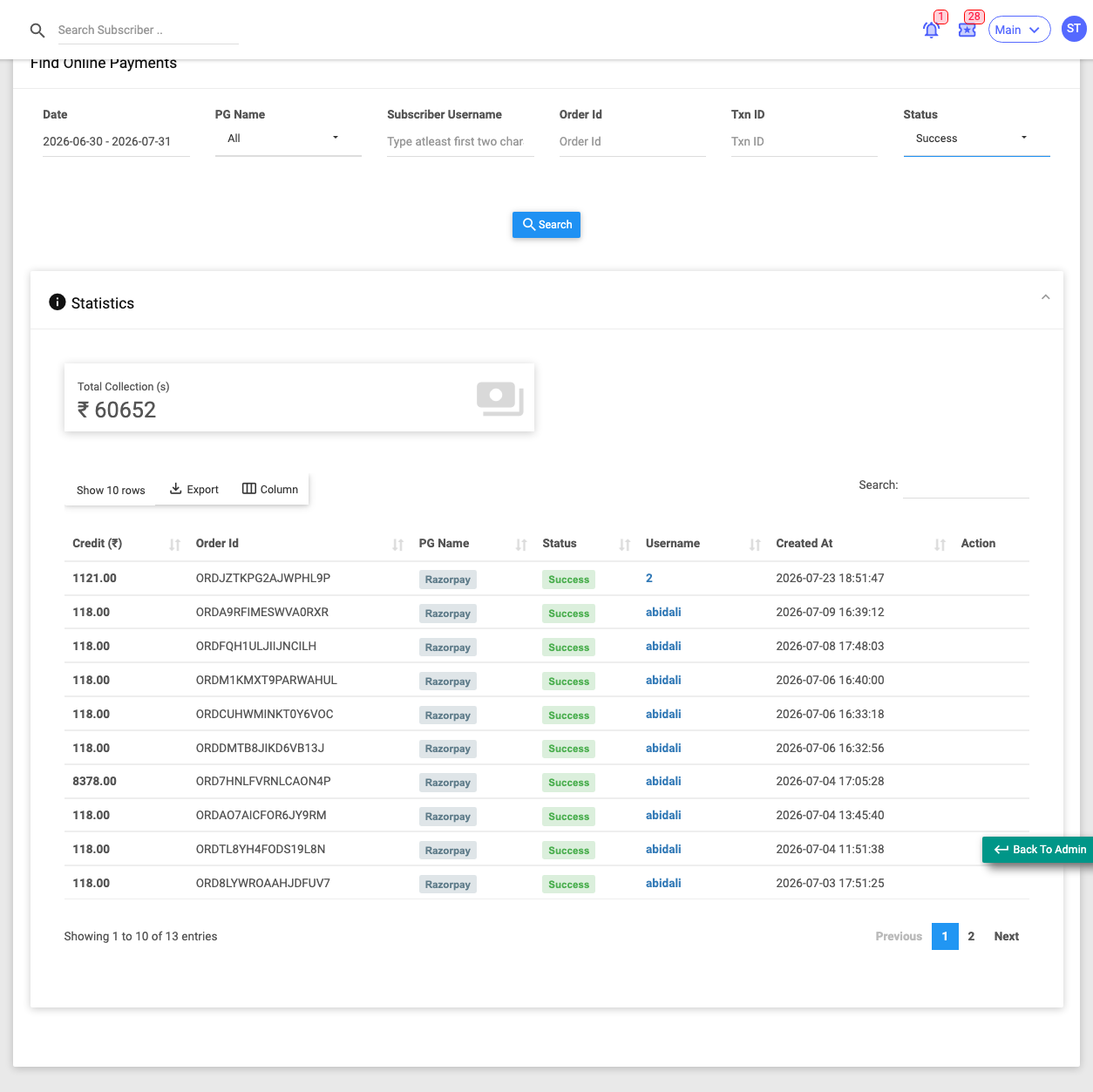
Use it when you want to check whether an online payment succeeded, or investigate a stuck transaction.
Filters: Date, PG Name (Cashfree, Razorpay, PayPal, Paytm, PayU, Instamojo, CCAvenue, Paystack, and others), Subscriber Username, Order ID, Txn ID, Status (multi-select — defaults to Success; also Process, Failed, Timeout, and several error states).
Key columns: Credit (amount), Txn ID, Order ID, PG Name, Status, Username, plus contact/account columns and an Action column.
Summary tile: Total Collections.
Actions: On transactions still in Process state, a Reconciliation link opens a popup showing the gateway's raw response with a Submit button to settle the payment manually.
:::caution Reconcile carefully Reconciliation is for payments that got stuck "in process" (e.g. the gateway callback was missed). Only reconcile a transaction after you've confirmed it with the gateway. Failed and Timeout rows are normal — they're abandoned or rejected attempts. :::