Reseller & Partner Reports
These reports only apply to sites that run on a reseller or partnership business model, so they won't appear in the Reports menu on a standard site. They show your account with the platform and how revenue is split.
All share the standard interface (filter bar → Search → results table). See How every report works. Amounts are in your site's currency.
Site Balance and Refills
Menu: Reports → Site Balance / Refills (reseller sites only)
A running ledger of your site's account with the platform — the top-ups (credits) you added, the deductions (debits) as you sold service, and the resulting balance, each tied to an invoice.
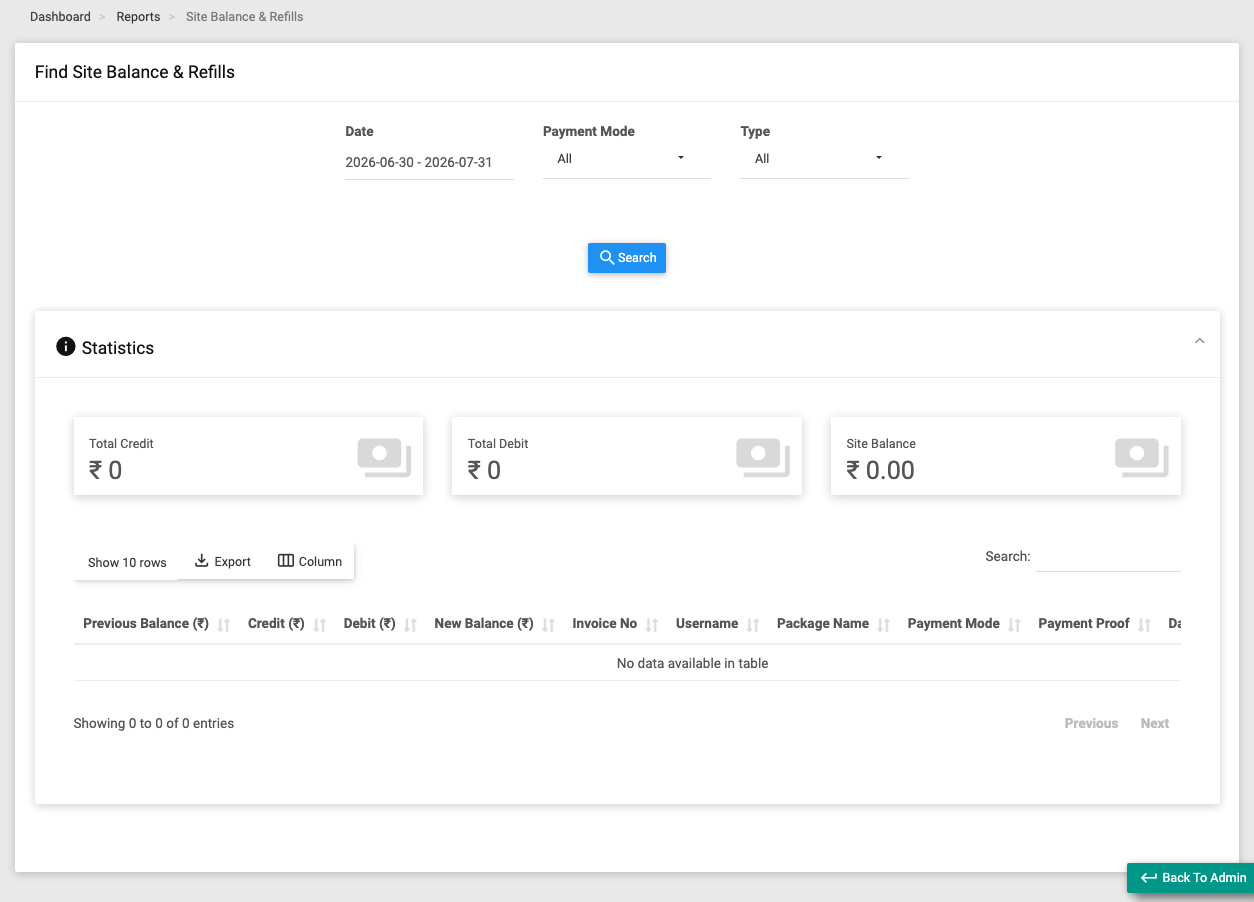
Use it when you want to see how much credit your site has left and where it went.
Filters: Date, Payment Mode (Wallet, Cash, Cheque, Direct Deposit, Bank Transfer, Payment Gateway), Type (All / Credit / Debit).
Key columns: Prev Balance, Credit, Debit, New Balance, Invoice No, Username, Package Name, Payment Mode, Payment Proof (opens an uploaded image), Date, Txn ID, Remark.
Summary tiles: Total Credit, Total Debit, Site Balance.
Revenue Share
Menu: Reports → Revenue Share (reseller sites, when revenue-share is enabled)
Shows your share of collected revenue per invoice, including any TDS (tax deducted at source) and the net payable after TDS.
Use it when you want to see your commission/share on sales.
Filters: Date.
Key columns: Grand Total, Revenue Share, TDS, Revenue Share After TDS, Invoice No, Subscriber, Package, Date, Collected By (Admin / Operator), Remark.
Summary tiles: Revenue Share, TDS (with the percentage when TDS is enabled), Revenue Share After TDS.
This report is only available when the reseller revenue-share feature is switched on for your site. If it isn't, opening it shows an "Access Denied" page. TDS columns only populate when TDS is enabled in settings.
Partnership
Menu: Reports → Partnership (partnership sites only)
For partnership sites, splits each collected invoice into your site's share and the admin's share, based on the agreed partnership percentage.
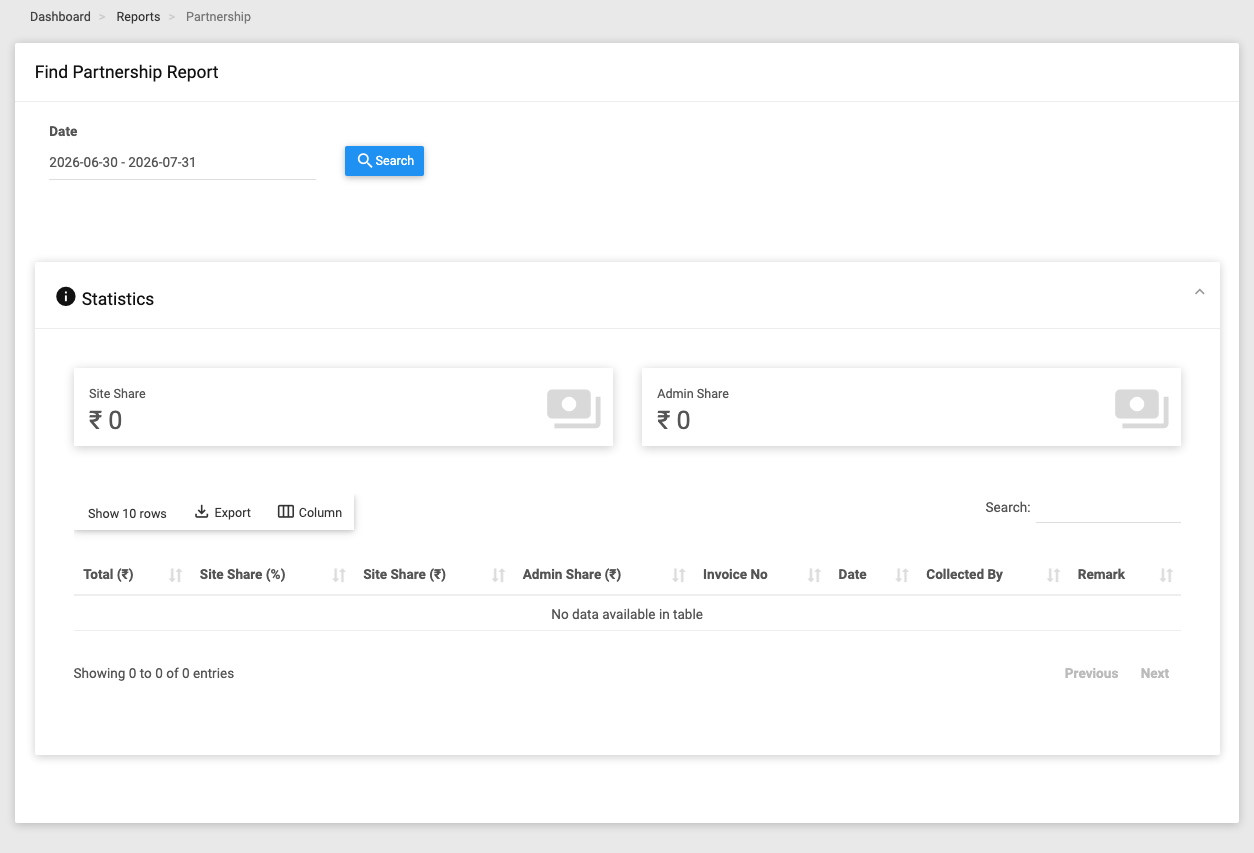
Use it when you want to see how revenue is divided between the partners.
Filters: Date.
Key columns: Total, Site Share (%), Site Share (amount), Admin Share (amount), Invoice No, Date, Collected By (Admin / Operator), Remark.
Summary tiles: Site Share, Admin Share.