Changing a Package (on a running service)
Overview
How a package change affects billing depends on a site-wide setting, Change Package With Settlement (in Config → Site), and on the subscriber's billing type. This page explains what actually happens; for the click-by-click dialog see Change Package & Price.

The Change Package dialog itself (Current Package, the new Package, and a Remark):
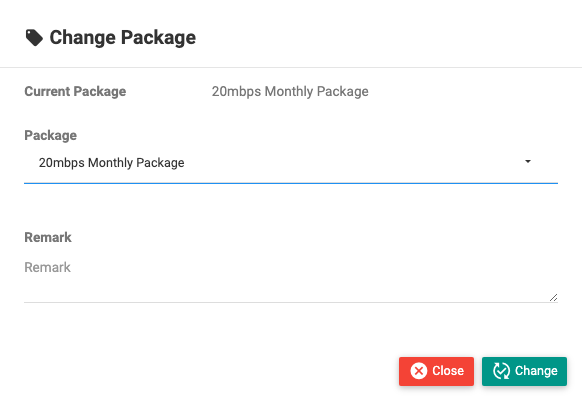
The one constant: changing a package never changes the service's expiry / due dates. It only affects billing (if settlement is on) and the speed/limits the subscriber gets from the new plan.
Prepaid subscribers
With "Change Package With Settlement" ON
- You can upgrade the subscriber's package, and the system settles the difference on the invoice — it recalculates and adjusts billing for the change.
- The new plan's speed and limits apply immediately; the expiry/due date is untouched.
With "Change Package With Settlement" OFF
- A package change is purely a plan swap — it does not create or adjust any invoice.
- The subscriber simply moves to the new package's speed and limits; billing and dates are unchanged.
In short: settlement ON = the change is billed (upgrade with an adjusted invoice); settlement OFF = the change is free of any billing effect, just a new speed.
Postpaid subscribers
For Postpaid (Recurring), a package change is not available directly on a running service. To move a postpaid subscriber to a different plan:
- Deactivate the current service.
- Activate again with the new package.
This keeps the recurring billing consistent, because the new plan starts a clean cycle rather than being spliced into the current one.
Where to do it
- Change/Add Package button on the subscriber profile — see Change Package & Price.
- The button may require the subscriber to be KYC / OTP / account verified first.
Important Notes
- No package change touches the expiry / due date — only speed/limits, and (if settlement is on) the invoice.
- Upgrades are the supported direction when settlement is on.
- Postpaid needs the deactivate → activate route; there is no in-place package change.
- Change Package With Settlement is set once in Config → Site and applies to the whole site.
Related Guides
- Change Package & Price
- Postpaid (Recurring) (deactivate/activate)
- Extras & Overrides (override a subscriber's plan price)