Personal Info tab
Overview
The Personal Info tab holds the subscriber's identity and login identifiers — name, contact, address, the connection and portal credentials, contract details, and any custom fields. It's the tab that opens by default when you view a profile.
Required Permissions
- Subscriber → Update Personal Info to change these fields (otherwise you can view only).
Navigation
Subscribers → (open a subscriber) → Personal Info
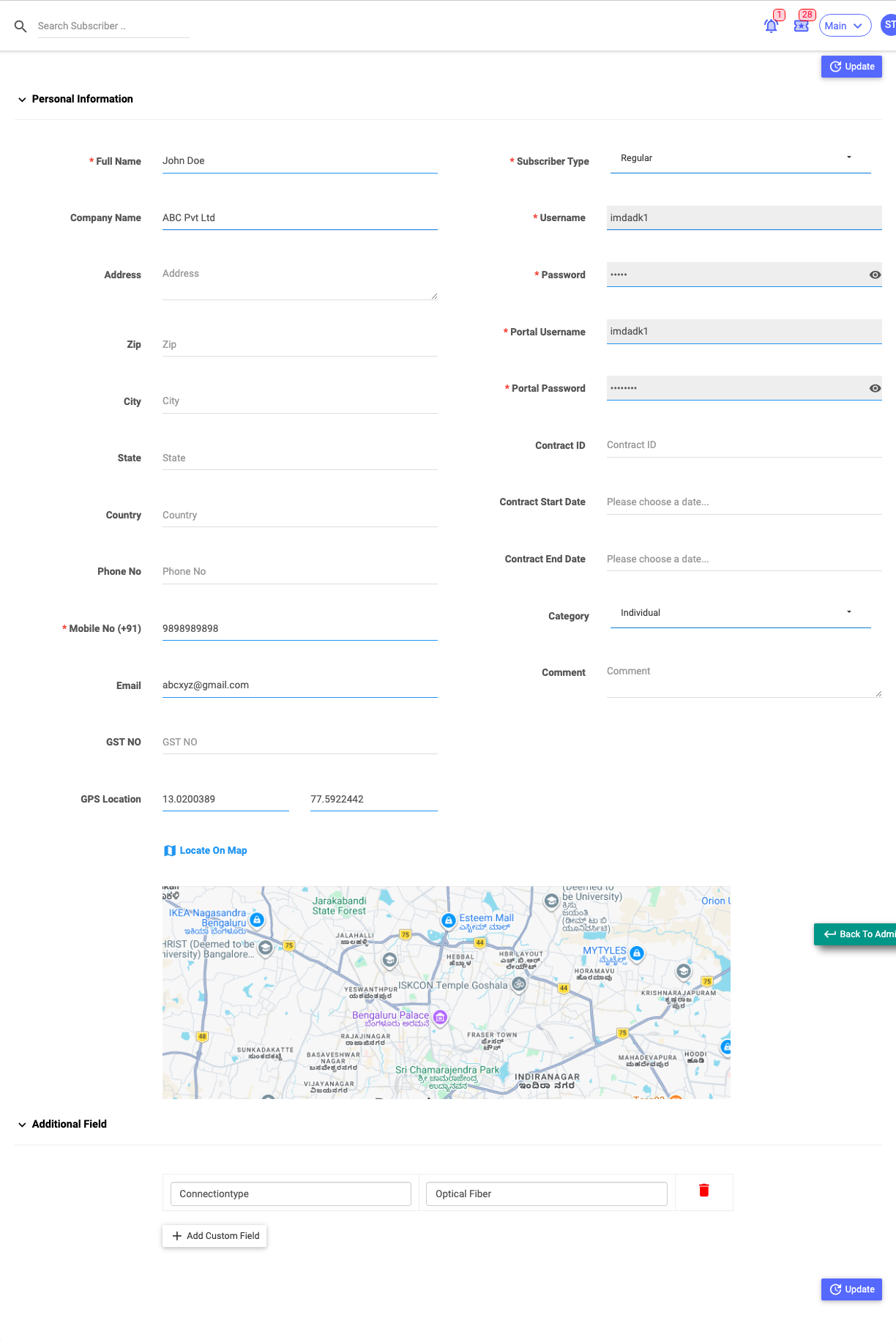
Basic Info
| Field | Description |
|---|---|
| Full Name | The customer's name. |
| Company Name | For business customers. |
| Address, Zip, City, State, Country | The service/postal address. |
| Phone No / Mobile No | Contact numbers (mobile with country code). |
| Email address. | |
| Tax No | Tax/GST number (label matches your site's tax field). |
| GPS Location (Latitude / Longitude) | The premises coordinates. A Locate on map link shows them on a map. |
Identifiers & connection (right)
| Field | Description |
|---|---|
| Sub Type | Regular / MAC / Lease. |
| MAC Address | For MAC/Lease subscribers (with a Reset MAC option). |
| Static IPv4 Pool / Address | For Lease subscribers. |
| Username / Password | The connection login (shown read-only here; change them from Usernames & Passwords). |
| Portal Username / Portal Password | The self-care portal login (read-only here). |
| Contract ID / Start / End | Contract reference and dates. |
| Category | Individual or Company. |
| Comment | Internal note. |
The credential fields are read-only on this tab — use the Change Username / Change Password actions to edit them, so the change is logged.
Custom Fields
Below the basic info, the Custom Fields table lets you record extra information your ISP tracks (each row is a label and a value). Select Add Custom Field to add one. Custom fields are editable only if your role has the additional-field permission.
Saving
Select Update (top or bottom of the tab) to save changes. The change is recorded in the Audit Timeline.
Important Notes
- Which fields are required depends on your site's mandatory-field policy (shown with a red *).
- Editing the connection/portal credentials is done through their dedicated actions, not here.