Tickets tab
Overview
The Tickets tab shows the support tickets raised for this subscriber, with quick counts and a change history — so you can see the customer's support story without leaving their profile.
Required Permissions
- Ticket → List to view; Ticket → Add / Delete for those actions.
Navigation
Subscribers → (open a subscriber) → Tickets
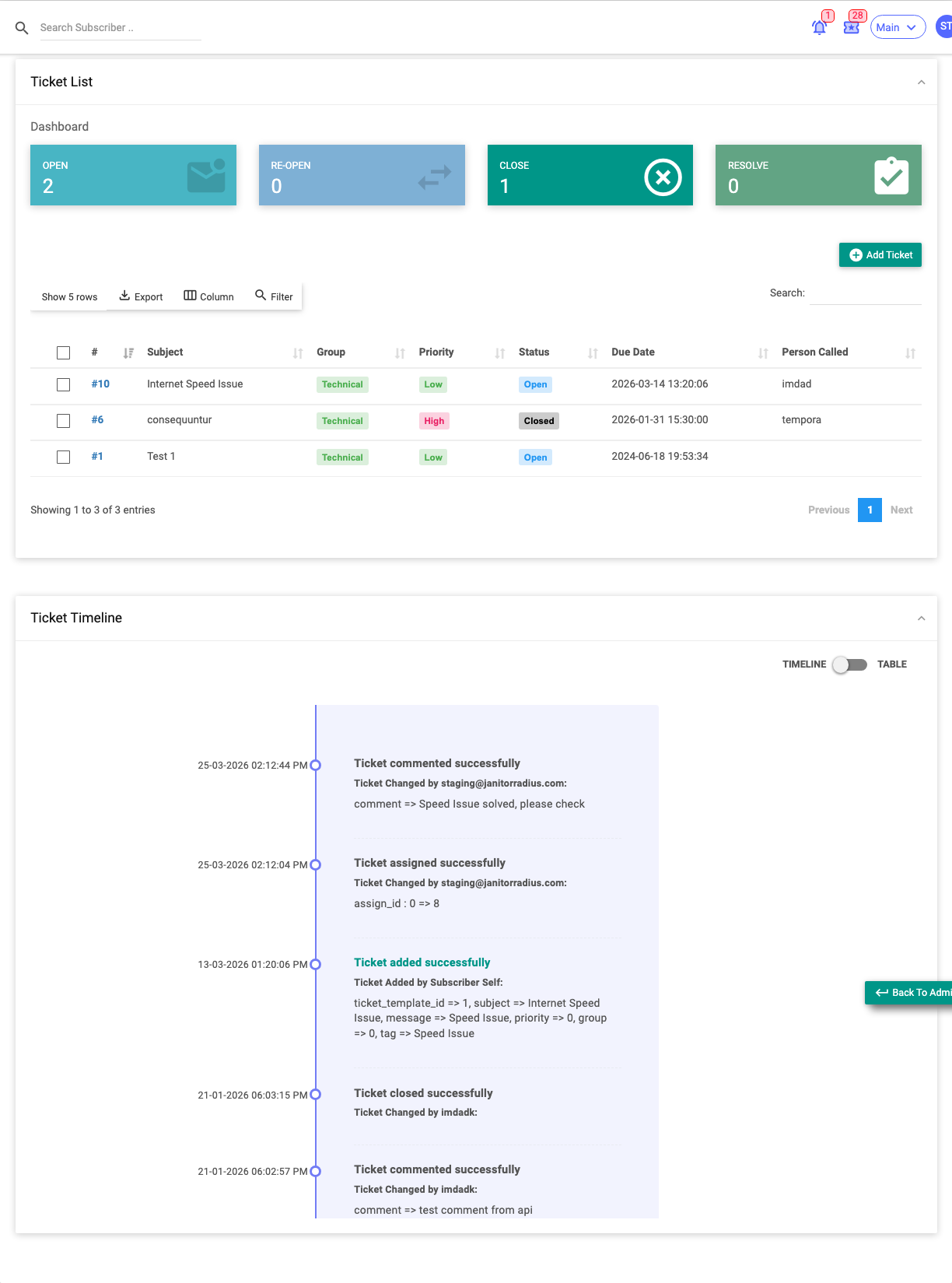
Ticket List
At the top, cards show the counts of Open, Reopen, Close and Resolve tickets for this subscriber. Below is the ticket table:
| Column | Meaning |
|---|---|
| Subject | The ticket title. |
| Group | The support group/queue. |
| Priority | Urgency. |
| Status | Open / Resolved / Closed / Reopened. |
| Due Date | When it's due. |
| Person Called | Contact made. |
| Created / Updated By / At | Who and when. |
Actions: Add Ticket raises a new ticket for this subscriber; selecting rows and using the bulk Delete removes tickets (with permission).
Ticket Timeline
A history of ticket events for this subscriber, shown either as a timeline (chronological, colour-coded by action) or a table (Status, Message, Particulars, Action By, App Type, Created At…). Use the TIMELINE/TABLE toggle to switch.
Important Notes
- This tab is scoped to this subscriber — the full ticketing system lives in the Tickets module.
- Ticket permissions are separate from subscriber permissions, so some staff can view but not add/close.
Related Guides
- The Subscriber Profile
- Tickets module (coming soon)