Config → API
Overview
API lets you generate API keys so other software can talk to Netzur programmatically — for example a company website, a mobile app, or an accounting or CRM integration that needs to read or create records. It lives under the Admin panel's Config menu and is the one Config page available only to the administrator (not in the operator portal).
Navigation: Admin panel → Config → API
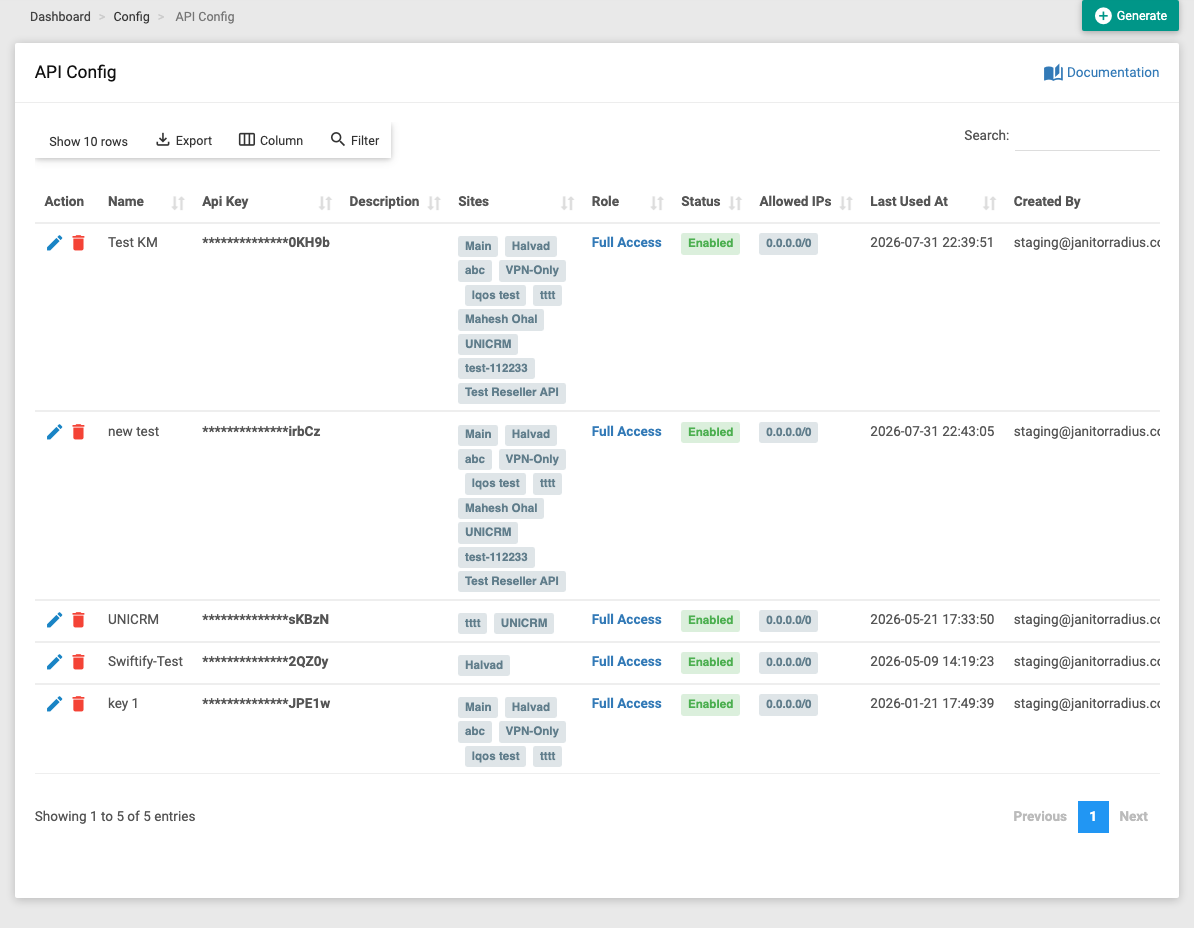
The list shows every key you've issued, with:
| Column | Meaning |
|---|---|
| Name | A label to identify the key. |
| API Key | The key value used by the integration. |
| Description | Optional note about what it's for. |
| Sites | Which site(s) the key can act on. |
| Role | The permission role that limits what the key can do. |
| Status | Whether the key is enabled. |
| Allowed IPs | The IP addresses permitted to use the key (0.0.0.0/0 = anywhere; blank = nowhere — see below). |
| Last Used At | When the key was last used. |
| Created / Updated | Audit stamps. |
The Documentation link (top-right of the card) opens the API reference for developers.
Generating a key
Click Generate and complete the form:
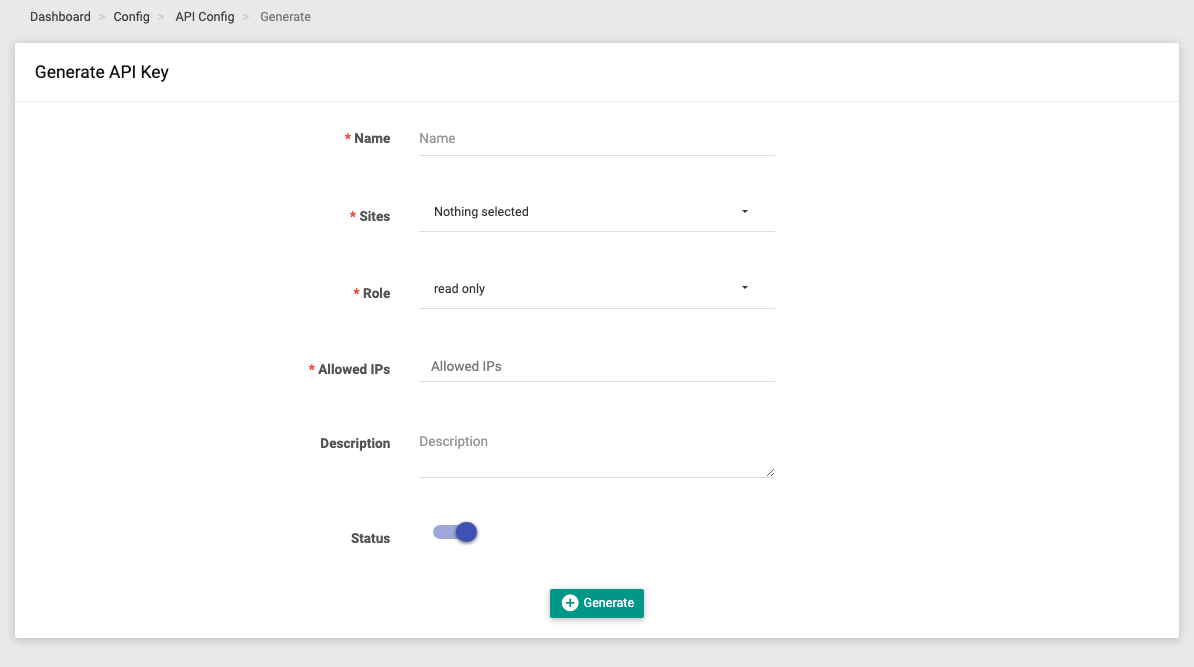
| Field | Required | What it does |
|---|---|---|
| Name | Yes | A label so you can recognise the key later. |
| Sites | Yes | The site(s) this key may access — pick one or many. |
| Role | Yes | The role whose permissions bound what the key can do. Give it the least access it needs. |
| Allowed IPs | Yes | The IP address(es) or ranges allowed to use this key — requests from anywhere else are refused. See the rules below. |
| Description | No | An optional note about the integration. |
| Status | — | Enable or disable the key. Turn off to instantly revoke access without deleting it. |
Click Generate to create the key. You can then edit or disable it from the list at any time.
How Allowed IPs works
The key is only accepted from an IP that matches this field. It's how you lock a key to your integration's server.
| Value | Effect |
|---|---|
One or more IPs / CIDR ranges (e.g. 203.0.113.10, 203.0.113.0/24) | The key works only from those addresses. |
0.0.0.0/0 | Matches every address — the key is allowed from anywhere. |
| Blank / empty | Matches nothing — the key is allowed from nowhere (every request is refused). |
:::caution Don't leave it blank, and avoid 0.0.0.0/0
A blank list silently blocks the key everywhere, so always enter a value. Prefer the specific IP(s) of the server that will call the API — 0.0.0.0/0 opens the key to the whole internet and should only be used as a last resort.
:::
:::caution Treat API keys like passwords An API key grants access to your data through the API. Only share it with the integration that needs it, scope it tightly with a limited Role and Allowed IPs, and disable any key that's no longer used or may have leaked. :::
Related Guides
- Super Admin overview
- Permissions → Roles — the roles that limit each key
- Site Management