Network Map
Overview
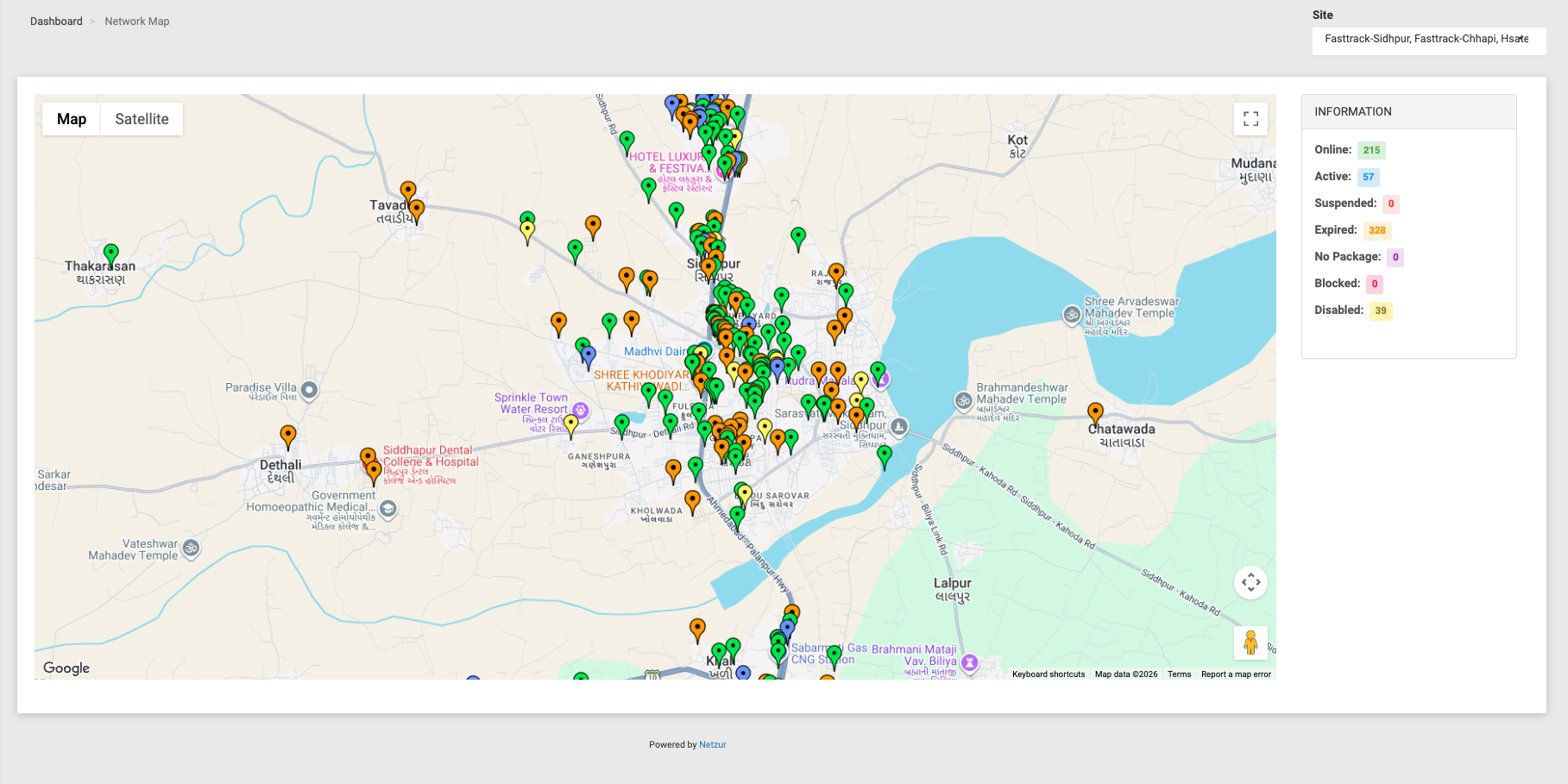
The Network Map plots your subscribers on a real map at their recorded GPS location, with each marker colour-coded by account status. It's a quick way to see your customer base geographically — where your subscribers are, and which ones are online, expired or suspended at a glance.
Navigation: Tools → Network Map
Reading the map
- Markers — each dot is a subscriber, placed at the latitude/longitude stored on their account. Only subscribers who have GPS coordinates saved will appear.
- Information panel (right) — a live tally of how many subscribers fall into each status:
| Status | Meaning |
|---|---|
| Online | Currently connected. |
| Active | A healthy account within its limits and validity. |
| Suspended | Temporarily suspended. |
| Expired | Past its expiry, or out of data/time. |
| No Package | No plan assigned. |
| Blocked | Blocked from connecting. |
| Disabled | The account is switched off. |
Each status has its own marker colour, so the colours on the map match the panel.
- Map / Satellite toggle and the usual zoom, pan and full-screen controls are available.
- Site selector (top-right) — on accounts that manage more than one site, choose which site's subscribers to plot; the map and the Information counts update to match. A single-site operator doesn't see this and always sees their own site.
- Clicking a subscriber's marker identifies that customer and links through to their account.
:::note Markers depend on saved GPS coordinates A subscriber only shows on the map if their GPS latitude/longitude is filled in on their account (on the subscriber's location/personal details). Customers without coordinates won't appear, even though they're counted elsewhere in the system. :::