Add a PIN Series
Overview
This generates a batch of recharge PINs at once — you choose how many and which package they carry, and Netzur creates that many unique PIN codes under one series number, ready to print and sell.
Who Can Use This Feature
ISPs and resellers selling recharge cards.
Required Permissions
- PIN → Add.
Prerequisites
- A package exists for the PINs to carry (a plan, top-up, or speed booster).
Navigation
Vouchers & PINs → PINs → Add Pin
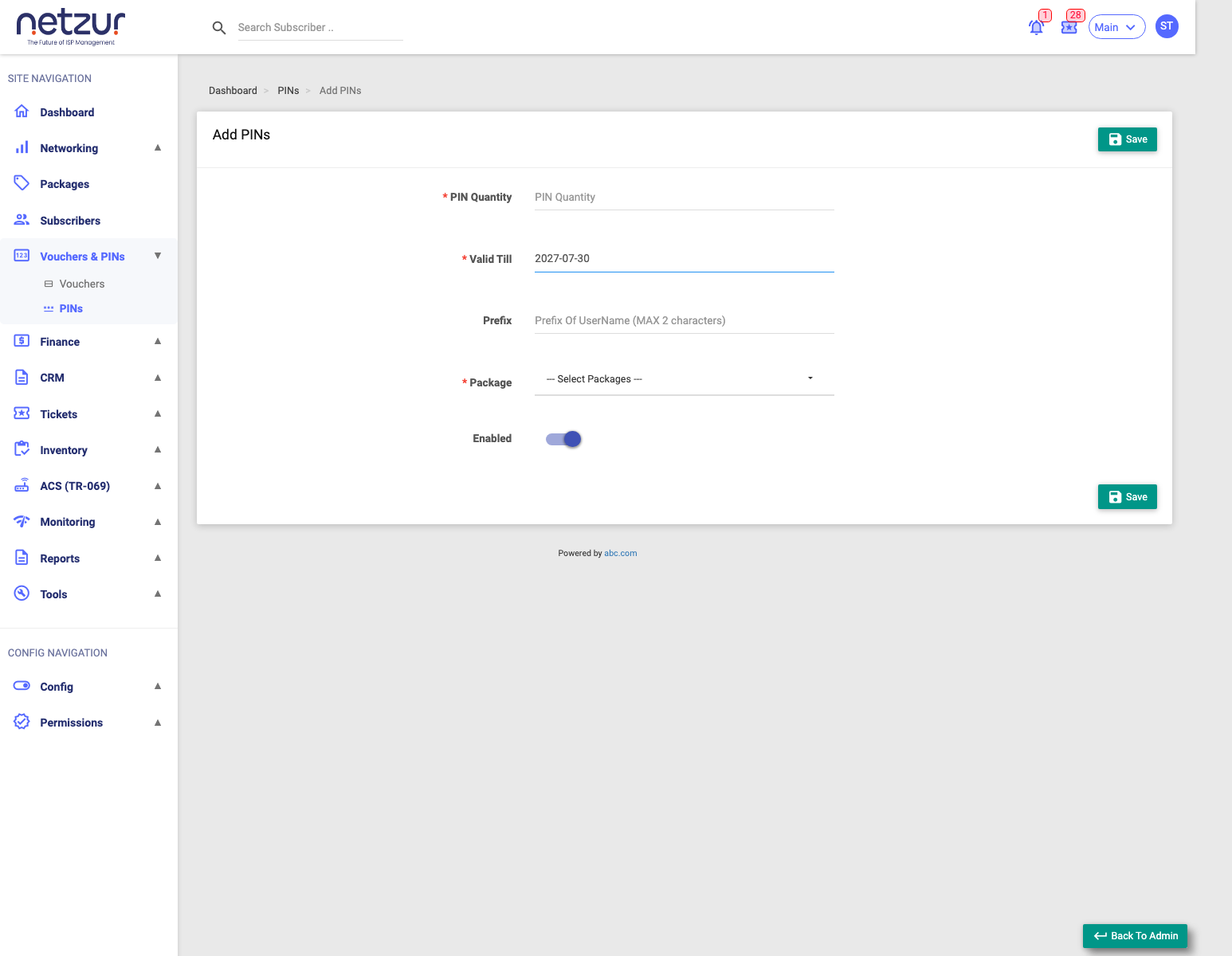
Step-by-Step Instructions
- Go to Vouchers & PINs → PINs and select Add Pin.
- Enter the PIN Quantity (how many PINs to generate).
- Set Valid Till (deadline to redeem — defaults to one year out).
- (Optional) Enter a Prefix (up to 2 characters, added to each PIN code).
- Choose the Package the PINs grant.
- Leave Enabled on so the PINs are usable.
- Select Save.
Field Reference
| Field | Required | Description |
|---|---|---|
| PIN Quantity | Yes | How many PINs to generate. |
| Valid Till | Yes | The last date a PIN may be redeemed. |
| Prefix | No | Up to 2 characters added to the front of each PIN code. |
| Package | Yes | The plan / top-up / booster a PIN applies when redeemed. |
| Enabled | No | Whether the generated PINs are active. |
PIN Quantity vs Series No: you type the quantity; the series number is assigned automatically (e.g.
260003). Each PIN code is generated as your optional prefix + 8 random characters — you don't set the codes yourself. The PIN's monetary value comes from the chosen package's price.
What Happens After Saving
The series is created with that many unused PINs. You can now print them as scratch cards or view the PINs in the series. For resellers, your site balance is debited by the package price × quantity (creation is blocked if your balance is too low).
Important Notes
- Choose the Package carefully — it decides what a customer gets when they redeem the PIN (a plan renewal, a data top-up, or a speed booster).
- Valid Till is the redeem-by date; after it passes, unused PINs can't be used.
Common Mistakes
- Selecting a plan-type package when you meant a top-up or booster (or vice versa).
- Setting Valid Till too short for how long the cards will sit in retail.