Find Vouchers
Overview
Find Vouchers searches across your voucher series and individual vouchers by precise criteria — useful to locate a specific voucher a customer is asking about, or to pull every voucher created in a date range.
Who Can Use This Feature
Support and counter staff.
Required Permissions
- Voucher → Find.
Navigation
Vouchers & PINs → Vouchers → Find Vouchers
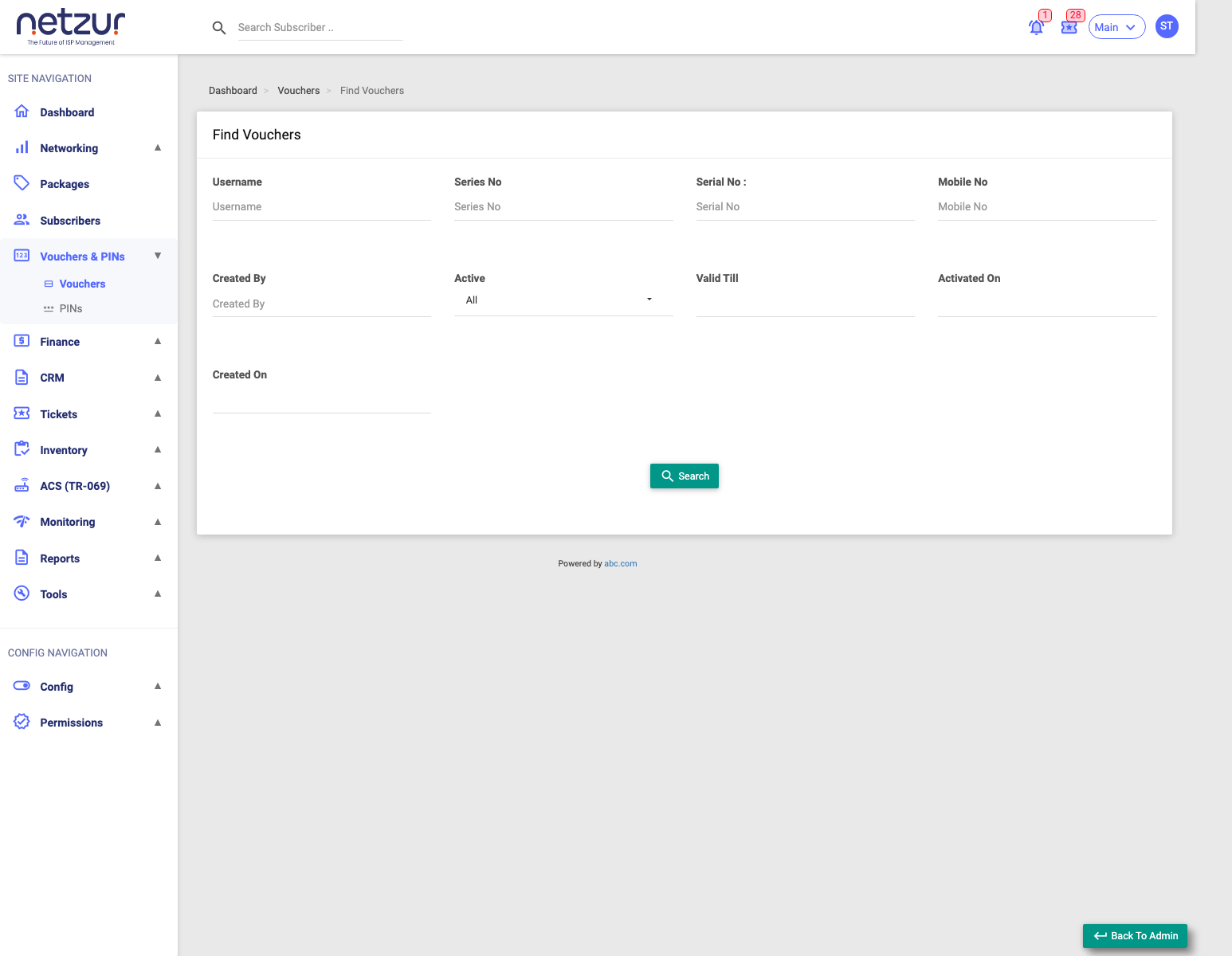
How to Use
- Go to Vouchers → Find Vouchers.
- Fill in only the filters you need (blank filters are ignored).
- Select Search. The results appear below, with a Total Price summary.
Search Filters
| Filter | Matches |
|---|---|
| Username | A specific voucher's login. |
| Series No | All vouchers in a series/batch. |
| Serial No | A voucher's serial/reference number. |
| Mobile No | The mobile linked to a used voucher. |
| Created By | Who generated the batch. |
| Active | All, Used, or Unused. |
| Valid Till | A date range for the use-by date. |
| Activated On | A date range for when vouchers were first used. |
| Created On | A date range for when vouchers were generated. |
The results
The results table shows each matching voucher — Username, Series No, Status, OTP Verified, Valid Till, Activated On, OTP, Packages, Price and Created On — plus a Total Price box summing the matches. Select a voucher's Username to open its profile.
Important Notes
- Use Active → Unused to find vouchers still available to sell, or Used to see redeemed ones.
- Blank filters are ignored — start broad, then narrow.