Vouchers Overview
Overview
A voucher is a ready-to-use prepaid access account. Each voucher has its own login (a username/password, or a single access code) tied to a package, so a customer can get online straight away — most often through a hotspot captive-portal page. You generate vouchers in a series (a batch), then print or hand them out.
Behind the scenes each voucher is a lightweight subscriber account (account type Voucher); once a customer first uses it, it activates and behaves like a subscriber with its own profile.
Who Can Use This Feature
Hotspot operators and resellers selling ready-to-use prepaid access.
Required Permissions
- Voucher → List to view the series list; Add / Find / Generate PDF / Delete / Update for those actions.
Navigation
Vouchers & PINs → Vouchers
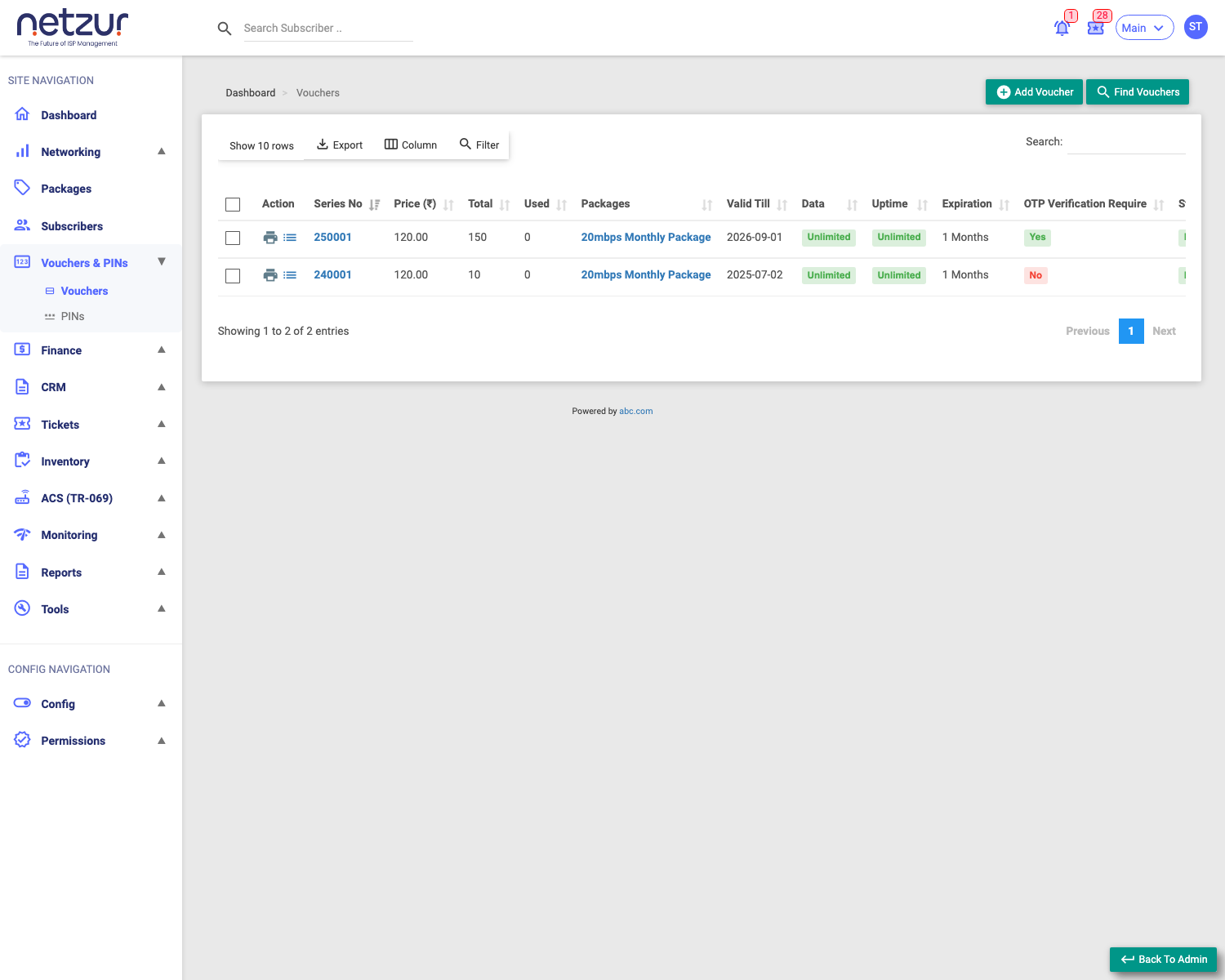
The Voucher Series list
Each row is one series (batch). Columns include:
| Column | Meaning |
|---|---|
| Action | Print (generate the printable PDF) and Voucher List (view the individual vouchers in the series). |
| Series No | The batch's number (links to edit the series). |
| Price | The package price per voucher. |
| Total | How many vouchers are in the series. |
| Used | How many have been activated so far. |
| Packages | The plan each voucher grants. |
| Valid Till | The deadline to use the vouchers. |
| Data / Uptime / Expiration | The package's allowances (or Unlimited). |
| OTP Verification Require | Whether users must verify by OTP. |
| Status | Enabled / Disabled. |
Above the list: Add Voucher, Find Vouchers, and the usual Export / Column / Filter / Search controls. Tick rows to reveal the bulk Delete action.
What you can do here
- Add a Voucher Series — generate a new batch.
- Find Vouchers — search across series and individual vouchers.
- Print (Action column) — download a printable sheet of the unused vouchers (see Printing the vouchers below).
- Voucher List (Action column) — open the vouchers in that series.
- Select the Series No to edit the series (change validity, package, limits — applies to all vouchers in it).
Printing the vouchers (PDF)
The Print icon in the series list's Action column generates a printable PDF — a sheet of voucher cards to hand out. Each card shows the access code, the price, the plan, the series number, and a QR code generated from the Hotspot Login URL (with that voucher's own login embedded), so a customer can scan straight to the login page.
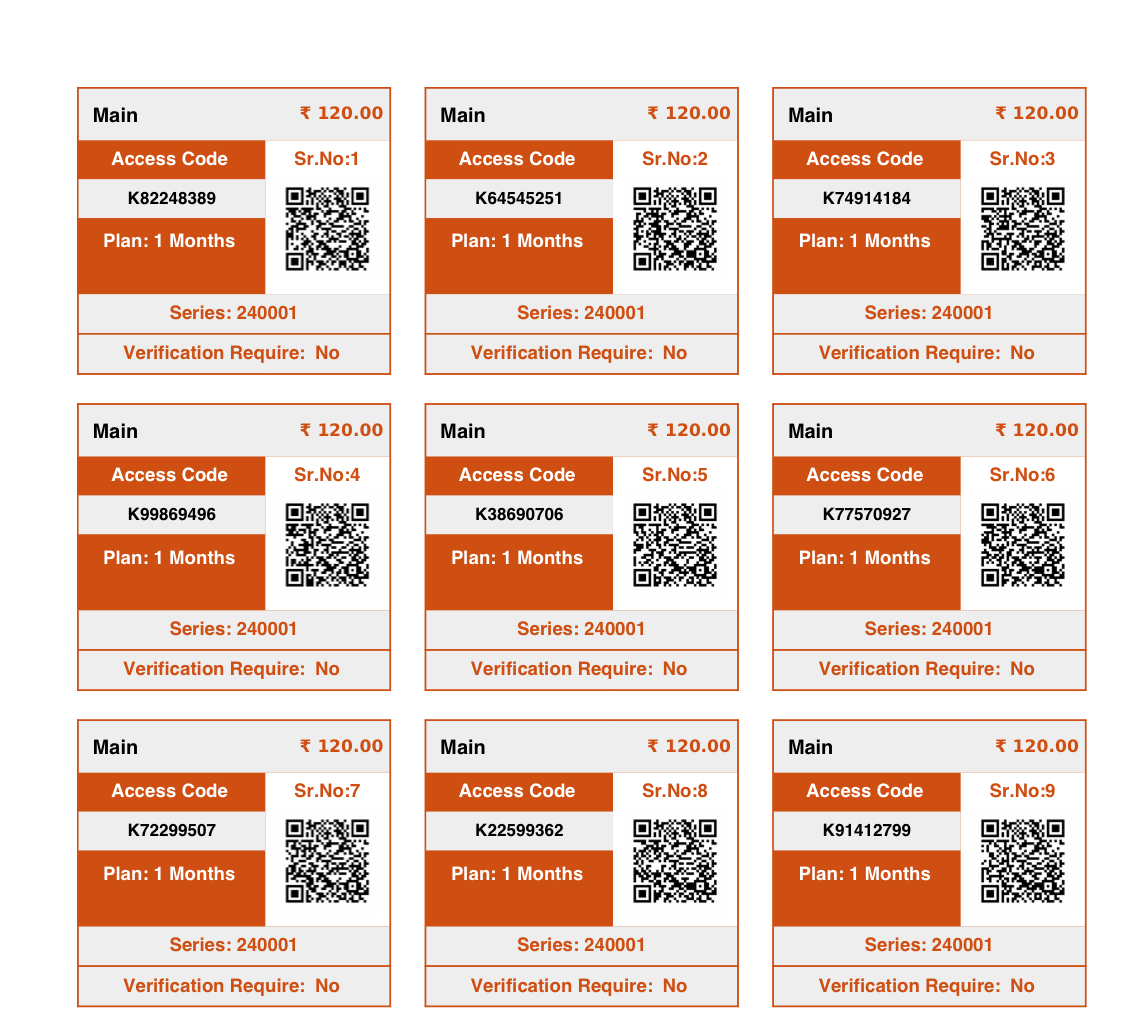
The PDF includes only unused vouchers, so you never reprint ones already sold. The file downloads as
Voucher Series <site>-<series>.pdf. If you see a "please update voucher template first" message, the site's voucher print template hasn't been set up yet.
Important Notes
- The series number is generated automatically (e.g.
250001) — you don't type it. - Used counts vouchers customers have activated; the rest remain ready to hand out.
- For resellers, creating a series debits the site balance by price × quantity.