Vouchers in a Series
Overview
From the series list, the Voucher List action opens the individual vouchers inside that batch — each a ready-to-use account. This page covers what you see there and editing the series (which updates every voucher in it). To print the batch, use the Print icon on the series list.
Required Permissions
- Voucher → List to view; Update to edit the series.
Navigation
Vouchers & PINs → Vouchers → (Action) Voucher List — or select the Series No to edit.
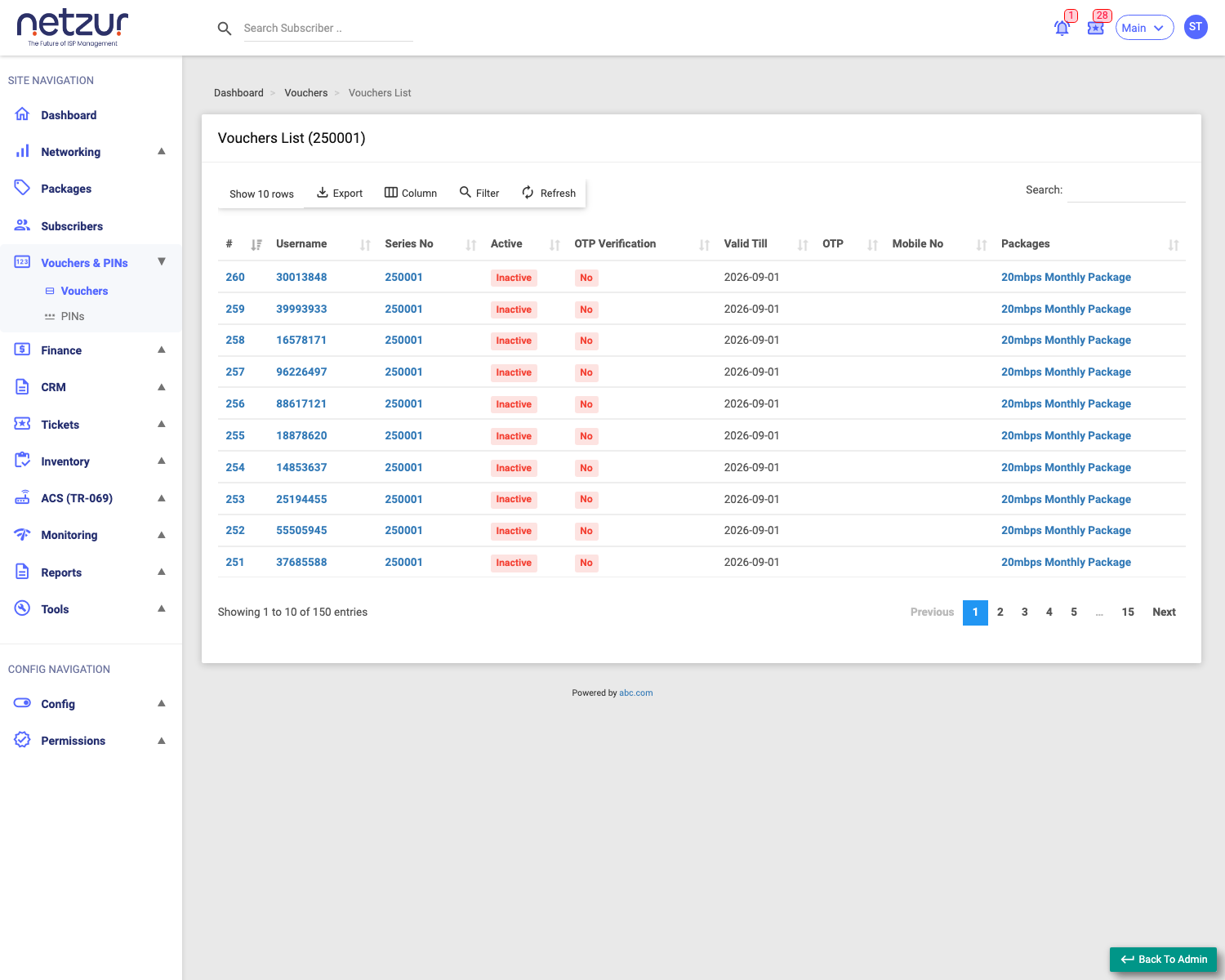
The vouchers in a series
Each row is one voucher account:
| Column | Meaning |
|---|---|
| # | Row number. |
| Username | The voucher's login code. |
| Series No | The batch it belongs to. |
| Active | Active (used) or Inactive (not yet used). |
| OTP Verified | Whether OTP has been verified. |
| Valid Till | Use-by date. |
| OTP / Mobile No | OTP and the mobile linked once used. |
| Packages | The plan the voucher grants. |
Select a voucher's Username to open its profile, where you can manage that individual voucher.
Editing a series
Selecting the Series No opens the series editor (two tabs: Config and Audit Timeline). Config shows read-only Total Voucher and Total Active Voucher counts, and lets you change settings that apply to every voucher in the series:
| Field | Description |
|---|---|
| Valid Till | New use-by date for all vouchers. |
| OTP Verification Require | Whether OTP is required. |
| Package | The plan all vouchers grant. |
| Login Limit | Simultaneous sessions per voucher. |
| Enabled | Enable/disable the whole series. |
| Mac Check / NAS Port ID Check / Allowed All NAS (+ NAS) | Connection rules. |
| Hotspot Login URL (Advanced) | The captive-portal URL printed on cards. |
Select Update to apply to the batch.
Important Notes
- Editing the series changes all its vouchers — use it to extend validity or swap the package for the whole batch at once.
- Enabled off on the series disables every voucher in it.
- Deleting: individual vouchers are managed from their profile; a whole series is deleted via the bulk Delete on the series list.